



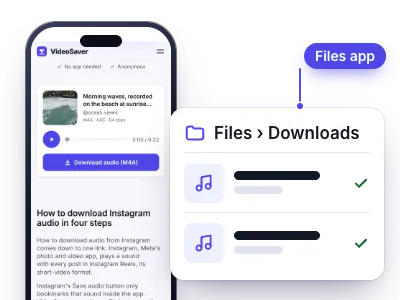
Save Instagram audio on iPhone with Safari
Safari, Apple's web browser, saves the audio file to the Files app, in Downloads. On iPhone, Apple's smartphone, a tap on the file plays it.
Files , then Downloads
By using VideoSaver, you agree to the Terms of Service and the Privacy Policy.
Type the characters from the picture to continue. The check proves a person is asking, which keeps the downloader free and fast for everyone.
Confirm you are human to continue. It takes a second.
M4A · AAC · {{ result.kbps }} kbps
Preview is not available. The Download button still saves the file.
Saved Download audio (M4A) Need the video too? Open in ReelsHow to download audio from Instagram comes down to one link. Instagram, Meta's photo and video app, plays a sound with every post in Instagram Reels, its format for short videos.
Instagram's Save audio button only bookmarks that sound inside the app. VideoSaver saves it as a file in three actions: copy, paste, tap Download. How VideoSaver works shows the route.
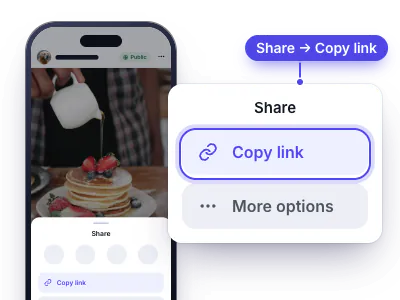
The Share button on a Reel opens a menu with Copy link. On a desktop, the address bar holds the link.
Share , then Copy link
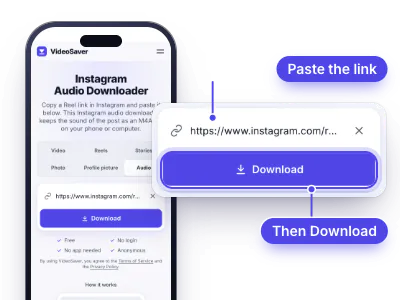
The link in the field, ready for Download.
To download Instagram audio, paste the link above. On a phone, the Paste button inserts it and starts the search.
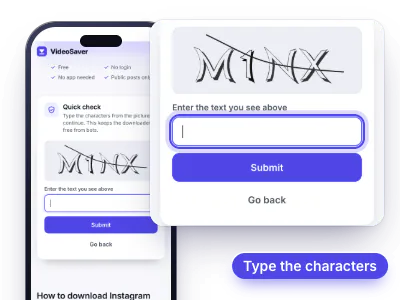
Type the characters, then Submit.
Your first search may open the quick check, a CAPTCHA with characters in a picture. It proves a person, not a bot, is asking, and keeps automated traffic from slowing the free service.
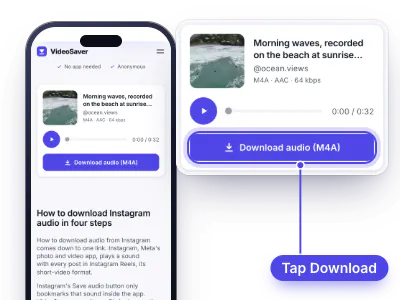
Play checks the sound, Download audio saves the file.
The result card shows the Reel's cover, a play button and Download audio, which saves the sound alone as an M4A file.
The Instagram audio downloader takes the sound of public Reels and video posts, one file per post.

Original audio is the sound a creator records for a Reel, such as a voiceover. An Instagram Reel audio download gives the creator that track back for the next edit.

The Instagram music library holds licensed tracks and trending audio for Reels. An Instagram song download saves the part of a song that a public Reel plays, for personal listening.

Interviews, podcast clips, comedy bits and sound effects travel through Reels too.

A video post in the feed carries an audio track, like a Reel. A photo post has no sound to give.
Some Instagram audio stays out of reach, and the form says why.
If the account is private, VideoSaver can't reach its Reels, even when you follow it, because the tool never signs in as you.
If the author deleted the post, the form says so. If Instagram muted a Reel over a copyright claim, no sound is left.
If a video went up silent, or the post holds only photos, the form says there is nothing to save.
If a Reel mixes a voice with background music, the file keeps both together, as the Reel plays them.
Found a sound to keep?
Save the sound of a ReelVideoSaver reads the public post from its link and takes out the audio track Instagram serves with it.
The file is an M4A, an MPEG-4 audio file with AAC (Advanced Audio Coding), the codec Instagram uses for the sound inside its videos. Phones, computers and editing apps play it as it is.
Bitrate, in kbps (kilobits per second), is how much sound data each second keeps. The file follows the bitrate Instagram serves, and no tool makes a sound better than its upload.

This Instagram audio downloader works the same in every browser. Only the folder for the file changes.
Safari, Apple's web browser, saves the audio file to the Files app, in Downloads. On iPhone, Apple's smartphone, a tap on the file plays it.
Files , then Downloads
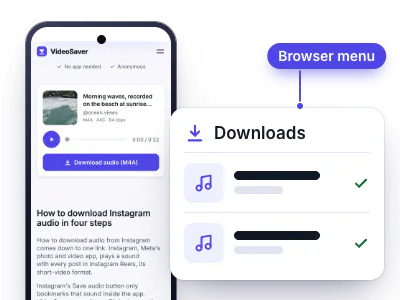
Chrome or another browser on Android, Google's mobile operating system, saves Instagram audio to its Downloads list.
Browser menu , then Downloads
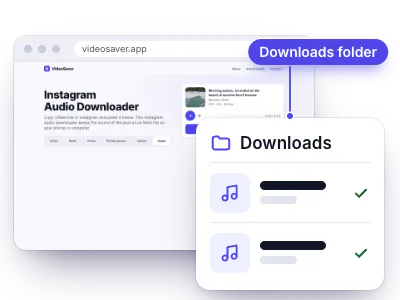
On Microsoft Windows or macOS, copy the Reel address from instagram.com. The audio file lands in the Downloads folder.
Downloads folder
People download Instagram audio because a sound often outlives its Reel.
Creators want their original audio back for the next video. Reuse your own sound, a licensed track or one the creator allows.
A Reel vanishes when its author deletes it, and a song can go silent after a claim. A saved copy keeps playing.
A screen recording picks up chimes and room noise. A downloaded sound has neither.
A favorite clip makes a ringtone or alarm nobody else has. A ringtone cut from a song stays on your own phone.
VideoSaver charges nothing for an Instagram audio download and has no paid tier.
VideoSaver sets no daily cap on how many sounds you save.
VideoSaver does not re-encode or compress the sound. The file keeps the quality Instagram serves for the post.
VideoSaver adds no audio tag or spoken intro to the file.
The creator gets no notification when you save a sound, and VideoSaver needs no account.
Your Instagram username and password never reach VideoSaver.
VideoSaver is a web page, not an app or a browser extension.
One tap on Paste fills the field and starts the search on a phone.
Need the video too? Use the Instagram Reels downloader.
Songs in the Instagram music library belong to their artists and labels, who license them for use inside Instagram. Original audio belongs to the creator who recorded it.
A saved sound suits personal listening, your own content or use with permission. Re-uploading a song, using it in an ad or selling it can need a license. In the United States, fair use is a narrow doctrine decided case by case, not a general right to reuse music. This is general information, not legal advice.
VideoSaver is an independent service. It is not affiliated with, endorsed or sponsored by Instagram or Meta. Under the Digital Millennium Copyright Act (DMCA), rights holders can send DMCA requests. Our terms of use apply to the site.
The VideoSaver Blog covers Instagram features, everyday tips, saving content and privacy. Every article opens with a short answer and then walks through the details step by step.
Audio & Music
Instagram marks trending audio with an arrow, a Trending tab, an audio page and a dashboard list. A Reel count checked twice tells you whether a sound is still rising.
Audio & Music
The audio label names the song in many Reels, but Original audio, voice-overs and remixes hide it. This guide gives four methods in order, from a one-tap check to identifying a clean clip of the Reel's sound.
Audio & Music
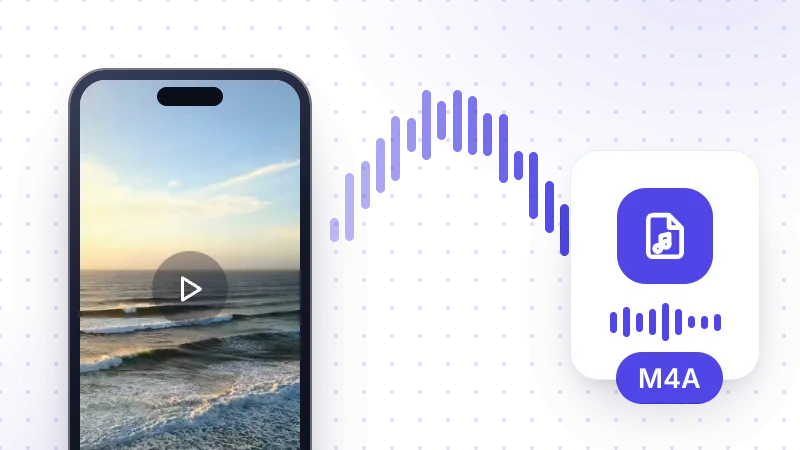
Instagram's Save audio keeps a bookmark inside the app, not a file on your phone. To get the sound of a public Reel as a file, save its audio track as an M4A.
The answers below cover the questions visitors ask most often.
Still have a question? Contact us