



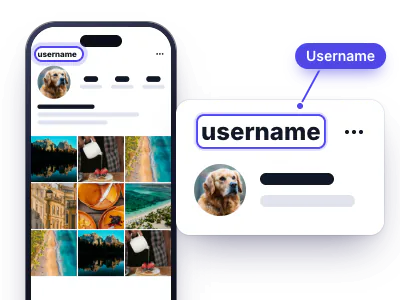
In the Instagram app on iPhone and Android
Open the profile. The username at the top of the screen is all the field needs. For the full profile link, tap the three-dot menu on the profile and choose Copy profile URL.
VideoSaver is an Instagram profile picture downloader: it opens the profile picture (Insta DP) of a public Instagram account from a @username or a profile link. Enter one below, and your browser saves the picture like any other file.
By using VideoSaver, you agree to the Terms of Service and the Privacy Policy.
Type the characters from the picture to continue. The check proves a person is asking, which keeps the downloader free and fast for everyone.
Confirm you are human to continue. It takes a second.
Download Instagram profile pictures in four steps. VideoSaver opens the picture as a preview on this page, so you can inspect it before saving.
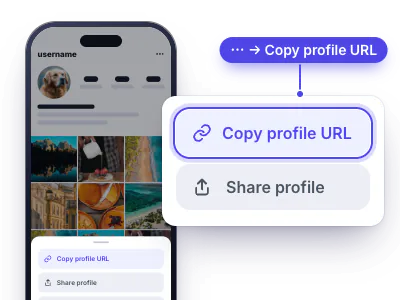
Copy the account's username or its profile link. The next section shows where to find both.
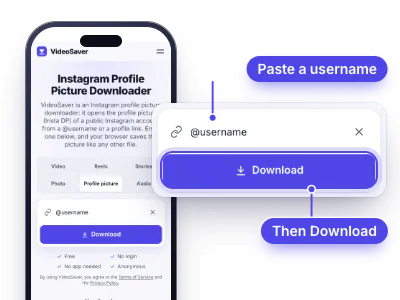
Paste or type it and press Download. The @ is optional. On a phone, Paste inserts what you copied and starts the search.
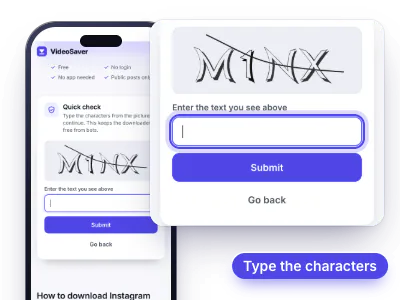
The quick check (CAPTCHA) is a short code in a picture that proves a person, not a bot, is searching. It keeps automated traffic from slowing the free downloader for everyone. Type the characters, and the search continues.
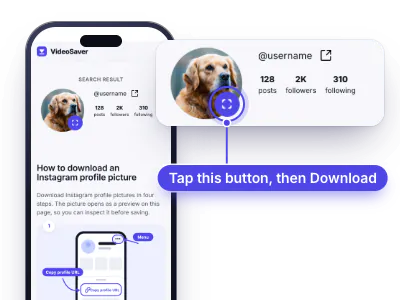
The round button on the picture opens it in full with a Download button. Tap Download, and your browser saves the file: on a computer to the Downloads folder, on iPhone to the Files app, in Downloads.
Open the profile. The username at the top of the screen is all the field needs. For the full profile link, tap the three-dot menu on the profile and choose Copy profile URL.
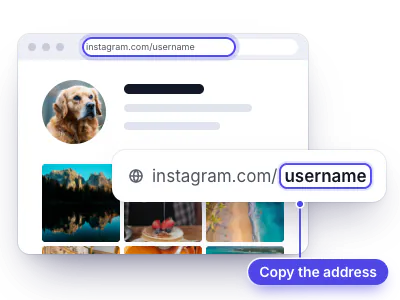
In a desktop browser, open the profile and copy the address bar: instagram.com/ followed by the username. The name after the slash works on its own too.
Any of these opens the same public profile. The field takes a username or a profile URL:
username@usernameinstagram.com/usernamehttps://www.instagram.com/username/A post or Reel link is not a profile link: the form says so and offers a button that opens it in the right tool, the Video downloader for a post and the Reels downloader for a Reel.
Paste a username and open the picture.
Open profile pictureUse it as an Instagram DP viewer when the small circular avatar is too tiny to recognize: to confirm who runs an account before you follow it, or to check brand logos for directories you keep.
You get the picture the account shows at the moment of the search. Earlier pictures are not available.
View Instagram profile pictures larger than the tiny circular thumbnail, at the size Instagram makes public for the account.
Paste the link or username exactly as you copied it.
VideoSaver sets no limit on how many pictures you open and save.
VideoSaver does not compress, crop or watermark the file Instagram serves for the account.
The account owner gets no notification when you view or save the picture.
VideoSaver never asks you to sign in and has no accounts of its own.
An Instagram profile picture download needs no app or extension and costs nothing. The file lands with your other downloads on iPhone, iPad, Android or a computer.
If an account is private, a message appears instead of an image.
DP stands for display picture and PFP for profile picture. Both mean the Instagram profile photo: the round profile image next to the username. In computing it is called an avatar, a graphical representation of a user. Insta DP and Instagram DP are the short forms people search for, so the same tool also goes by Instagram PFP downloader.
Unlike a post photo, the profile picture is not in the feed, so the Instagram Photo Downloader does not save it. That tool is for posts and carousels.
Instagram displays the profile picture as a small circle. VideoSaver opens the file Instagram serves for that public account, and its dimensions depend on what the owner uploaded.
That file is not always clearer than the app. If the original upload was small or tightly cropped, so is the file. Full screen or zoom enlarges pixels, not details, and no tool adds resolution or quality that was never uploaded.
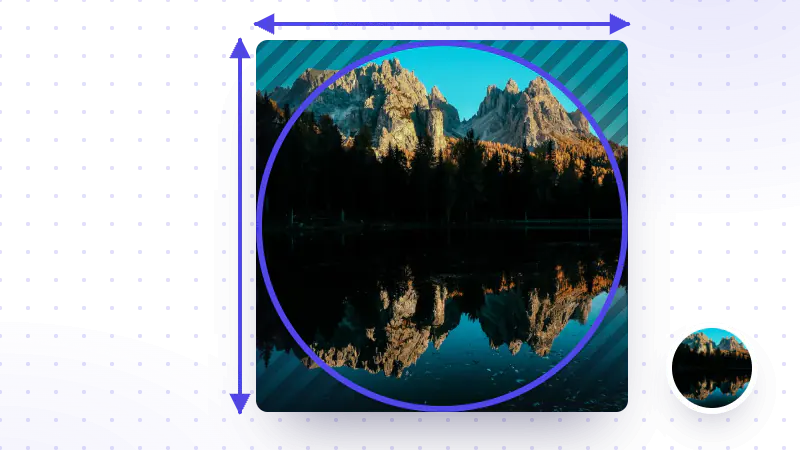
Choosing a picture of your own? A square image with the face or logo centered survives the round crop best.
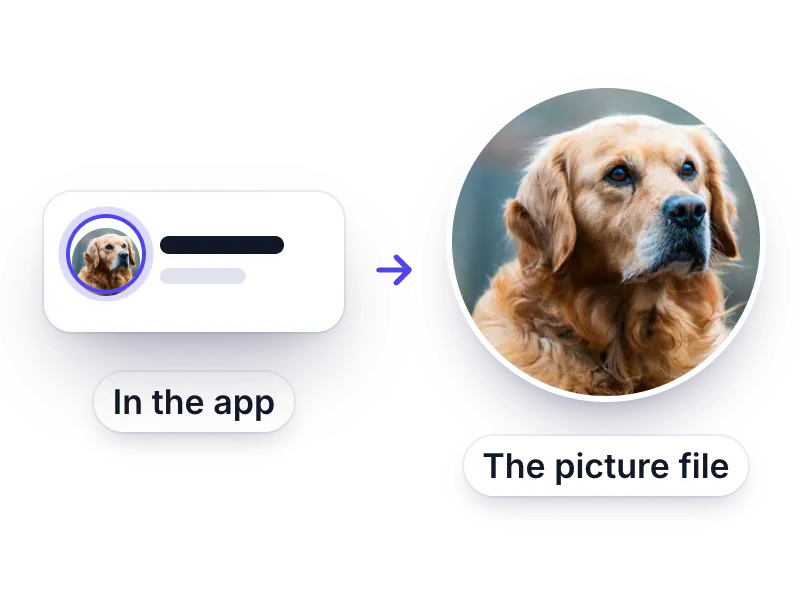
Check the picture before you save it.
Try it with any public usernameIf no picture appears, check these cases.
Instagram's access controls keep a private account restricted to approved followers. VideoSaver does not log in or get around them, so the form says: “This account is private or the post was removed. We can only save public posts.”
A typo, a changed username or a deleted account leaves nothing to open. Check the spelling or copy a fresh link, because old links break when the username changes.
Without an uploaded picture, Instagram shows a grey default silhouette with nothing to save.
The form says the link is not for Profile picture and offers a button to the right tool.
Privacy on Instagram is set by each account owner, and VideoSaver works only inside those settings.
VideoSaver opens only what is publicly accessible on Instagram without logging in. There is no private viewer and, by design, no workaround for private accounts.
A saved public image is not permission to republish it, use it as your avatar or build a fake account around it. Impersonation is against Instagram's Terms of Use and can hurt the person in the picture.
Do not use the tool to track, stalk or harass anyone. If someone asks you to delete a picture of them, delete it.
To report misuse, contact us. Rights holders can use the DMCA page. The Privacy Policy describes how the site handles data.
This is general information, not legal advice. Copyright in a profile picture belongs to whoever created it, often the account owner or a photographer. Downloading it does not give you a license to publish it.
In the US, fair use permits limited use of copyrighted material without permission, for example for commentary. Whether a use qualifies depends on the details. Rights holders can send a notice under the Digital Millennium Copyright Act (DMCA) through our DMCA page.
VideoSaver is not affiliated with, endorsed or sponsored by Instagram or Meta. Instagram, the photo and video app owned by Meta Platforms, Inc., is a trademark of Meta. The name only describes what the tool works with. Site rules are in the Terms of Use.
Open a profile picture now.
Open profile pictureThe VideoSaver Blog covers Instagram features, everyday tips, saving content and privacy. Every article opens with a short answer and then walks through the details step by step.
Sizes & Quality
Instagram Help Center publishes no profile picture size, so guides quote 110, 180, 320 or 720 px. A 1080 x 1080 square with the subject in the central circle covers every figure.
Privacy & Safety
Public Instagram Reels, posts and profiles open in a web browser with no account, and public stories open by username in a story tool. Private accounts stay closed to everyone except approved followers.
Saving & Downloading
A bookmark keeps an Instagram photo inside the app, and a screenshot copies your screen. This guide shows which route gives you the actual photo file, how to save every slide of a carousel and what you may do with the picture afterwards.
The answers below cover the questions visitors ask most often.
Still have a question? Contact us