How to Find Trending Audio on Instagram Before It Peaks
Instagram marks trending audio with an arrow, a Trending tab, an audio page and a dashboard list. A Reel count checked twice tells you whether a sound is still rising.
Short answer
Instagram shows trending audio in four places: a small upward arrow next to a sound's name in Reels, the Trending tab of the music picker in the Reel editor, the audio page that counts how many Reels use a sound, and the trends list in the professional dashboard. Knowing how to find trending audio on Instagram before it peaks takes one more step that Instagram doesn't do for you: note a sound's Reel count, check it again a few days later and use the sound while the count still climbs.
Instagram doesn't publish the rules behind the arrow or the trends list. Every method below treats them as signals to verify, not as a promise of reach.
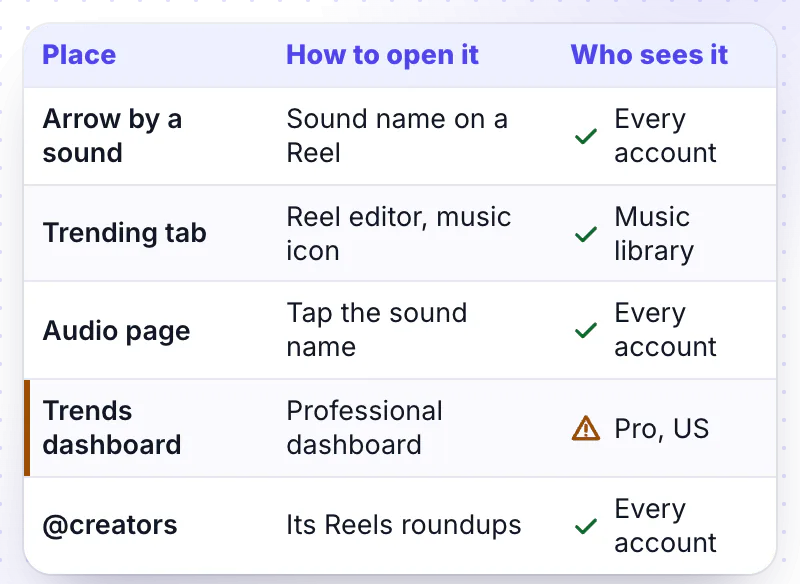
Instagram, Meta's photo and video app, surfaces trending audio on Instagram in five built-in places. Each place answers a different question, and only one of them is limited to professional accounts.
| Place | How to open it | Who sees it | What it tells you |
|---|---|---|---|
| Upward arrow next to a sound name | Reels feed, sound name at the bottom of a Reel | Every account | The sound's use is growing right now |
| Trending tab in the music picker | Reel editor, music icon, Trending | Accounts with access to the music library | A ranked list of songs, marked as rising or cooling |
| Audio page | Tap the sound name on any Reel | Every account | How many Reels use the sound, and the Reels themselves |
| Trends in the professional dashboard | Profile, Professional dashboard | Professional accounts, reportedly in the US only | Top songs and hashtags with use counts |
| The @creators account | Instagram profile @creators | Every account | Curated trend roundups with editing ideas |
The upward arrow next to a sound name
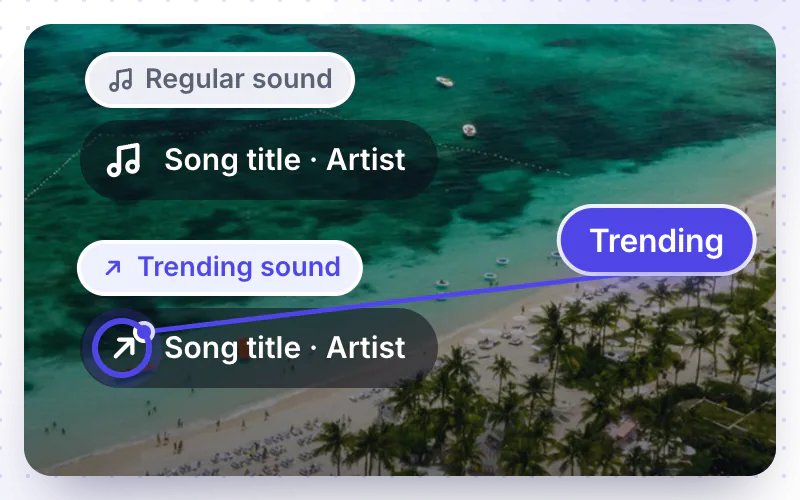
The sound name at the bottom of a Reel usually sits next to a music note. A small arrow pointing up and to the right replaces the note when a sound is trending, as the walkthroughs from Buffer and SocialBee describe. Tap the arrow or the sound name to open the sound's audio page.
The arrow tells you that use is rising. It doesn't tell you how many creators already used the sound, so on its own it can't show that you are early.
The Trending tab in the music picker
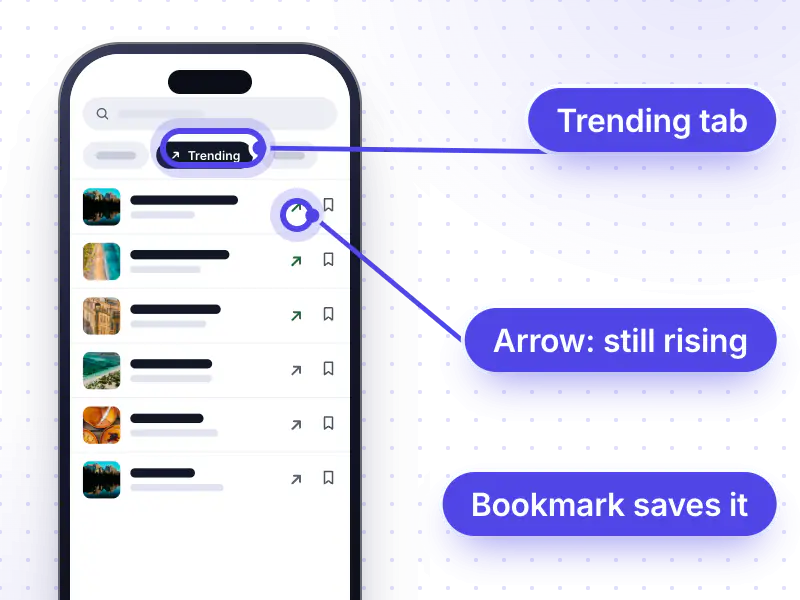
The Instagram trending audio list lives inside the Reel editor. Start a new Reel, pick a clip, tap the music icon and open Trending. In Buffer's walkthrough, small arrows next to each song show whether it is still rising or starting to cool. The bookmark icon saves a song, and Instagram keeps it under Saved, then Audio, on your profile.
The music picker shows only the songs your account is allowed to use. A business account can see a shorter list than a personal account in the same country.
The audio page and its Reel count
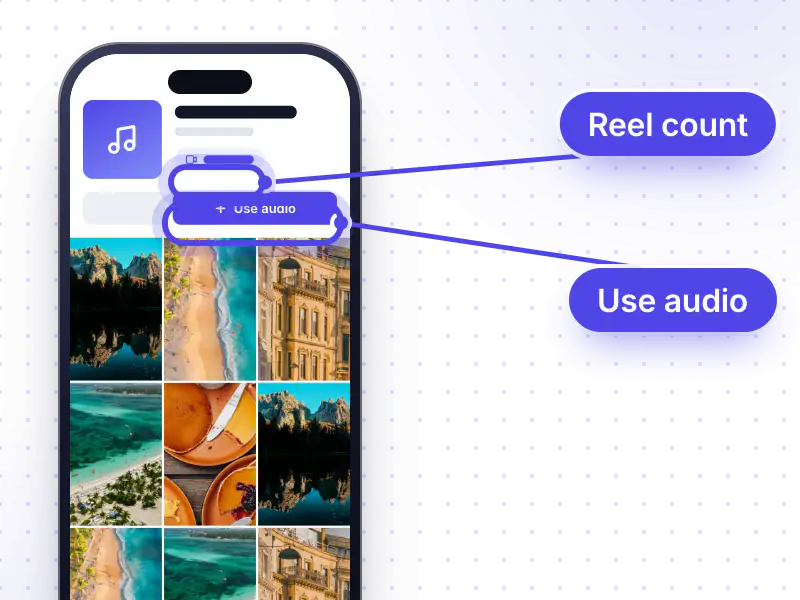
Every sound on Instagram has its own audio page. Tap the sound name on a Reel to open it. The page shows how many Reels use the sound, a grid of those Reels, a save option and Use audio, which starts a new Reel with the sound attached.
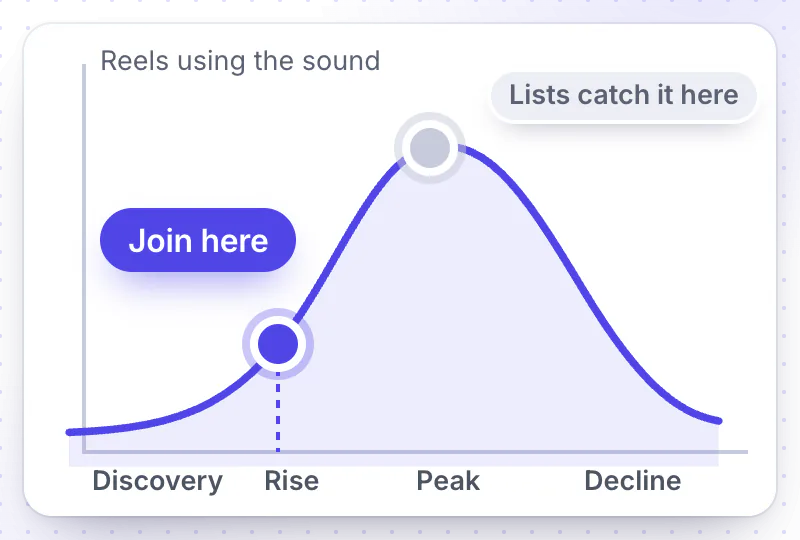
The Reel count is the most useful number Instagram gives you for free, more useful than likes on any single Reel in the grid. One count is a snapshot, but two counts a few days apart show direction, and direction is what separates a rising sound from a peaked one.
Trends in the professional dashboard
Instagram added a central destination for trending audio and hashtags to Reels. The Instagram Creators blog says it lets you "see how many times the audio has been used, tap in to use it, or save the audio for yourself." TechCrunch described the entry as "Check today's Reels Trends" inside the Professional Dashboard. Buffer finds it today as Trending audio under Tips and resources in the same dashboard.
Sources disagree on who gets it. Buffer and SocialBee say the list works only for professional accounts, meaning a creator account or a business account, in the Instagram mobile app in the US, while Instagram's announcement names no countries. If you wonder how to see trending audio on Instagram without a professional account, use the arrow, the Trending tab and the audio page. All three work on personal accounts.
The @creators account
Instagram runs an account called @creators for people who make content on the app. Buffer and SocialBee describe its regular Reels trend roundups, which pair sounds with formats and editing tips. The roundups explain why a sound spreads. The audio page then tells you whether the sound is still growing.
Search on the Explore page is a rougher sixth route. Type a theme that matches your video, such as a recipe or a workout, and watch which popular sounds repeat across the top Reels. Buffer calls this method useful but not foolproof, because results follow your own viewing history. Treat every sound you find this way as a candidate, not as proof of a trend.
A trending label says a sound is popular. It doesn't say whether thousands of creators already used it. Three free checks answer that question.
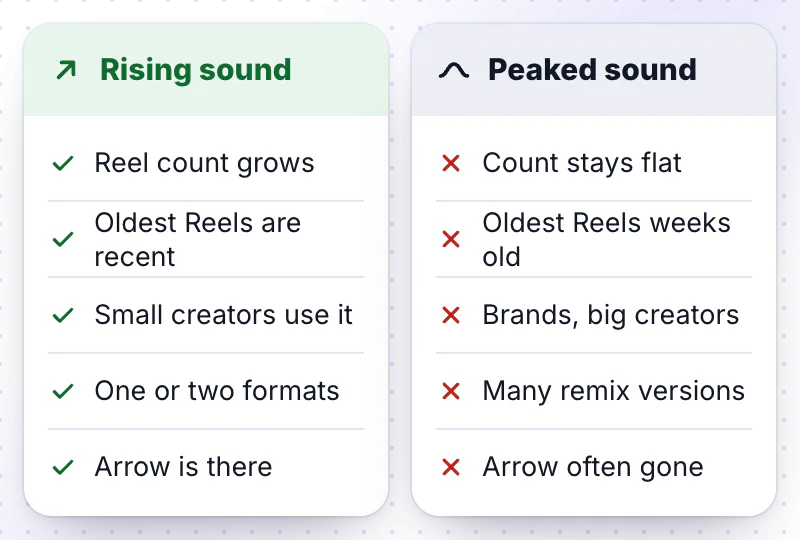
- Reel count growth. Write down the Reel count on the audio page, check again two or three days later and compare. A count that keeps climbing points to a sound on the way up. A count that barely moves points to a sound past its peak.
- Age of the oldest Reels. Scroll the audio page down and open a few Reels near the bottom of the grid. If even those were posted recently, the sound is young. If they go back weeks, you are late.
- Who uses the sound. Trending audio that only small accounts use is often early. A sound that brands and large creators have already parodied is usually close to the top.
| Signal | Rising sound | Peaked sound |
|---|---|---|
| Reel count between two checks | Grows noticeably | Grows little or stays flat |
| Oldest Reels on the audio page | Recent | Weeks old |
| Accounts using it | Small creators and early adopters in your niche | Brands, large creators, parody versions |
| Formats | One or two formats repeated | Many remix versions, the joke now explained |
| Arrow next to the name | Present | Often gone |
The table has no numbers on purpose. Instagram publishes no thresholds, and a Reel count that is large for a niche cooking sound can be small for a dance trend. Compare a sound with its own earlier count, not with a universal target.
Scrolling for trends works when you post today. A content plan needs a shortlist, because comparing several candidate sounds side by side beats reacting to the first trending sound you hear. This is how to find trending audio on Instagram that still has room to grow.
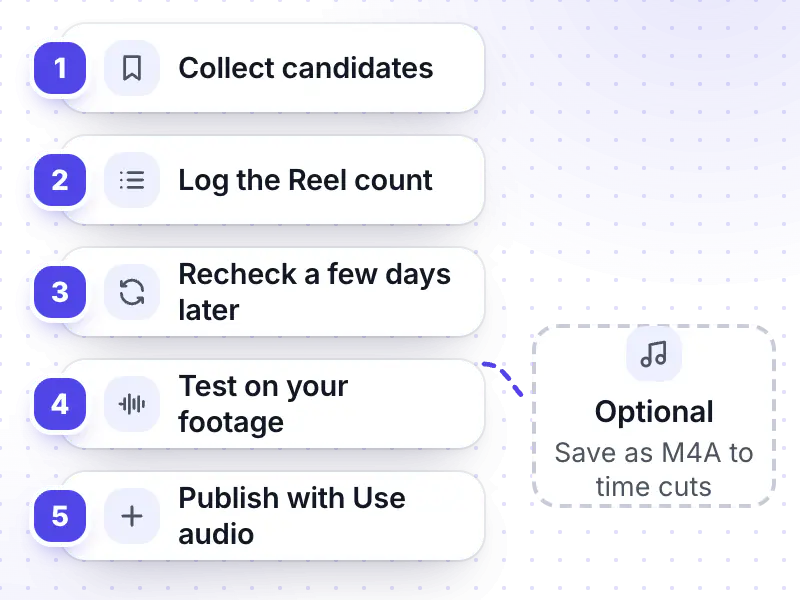
- Collect candidates. When the same sound plays on two or three unrelated Reels, open its audio page and save it. Five to ten candidates give you enough choice.
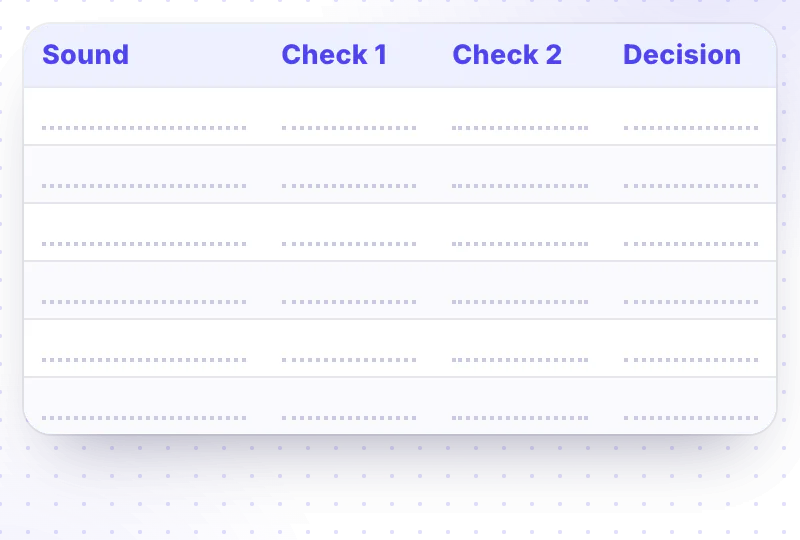
- Log the Reel count. Note the sound's name, its creator, the Reel count and the day you checked in a notes app or the tracking sheet below.
- Recheck. Two or three days later, log the counts again and drop the sounds that stalled.
- Test on your footage. Play the remaining sounds against your own clips to check pace, mood and length.
- Publish with Use audio. Open the winning sound's audio page and tap Use audio. Your Reel then carries the sound's name and joins the other Reels on its audio page.
If a candidate plays without a song label, find the song from an Instagram Reel before you log it. A sound you can't name is hard to find again in the music picker.
Save a sound as a file for timing your edit
Saved, then Audio, plays sounds only inside the Instagram app. Step 4 often needs the sound as a file: to set cuts on the beat in a video editor, to listen offline or to compare two candidates back to back. A file also stays on your device if the sound later drops out of your Saved list, which Buffer says happens after licensing changes or removals.
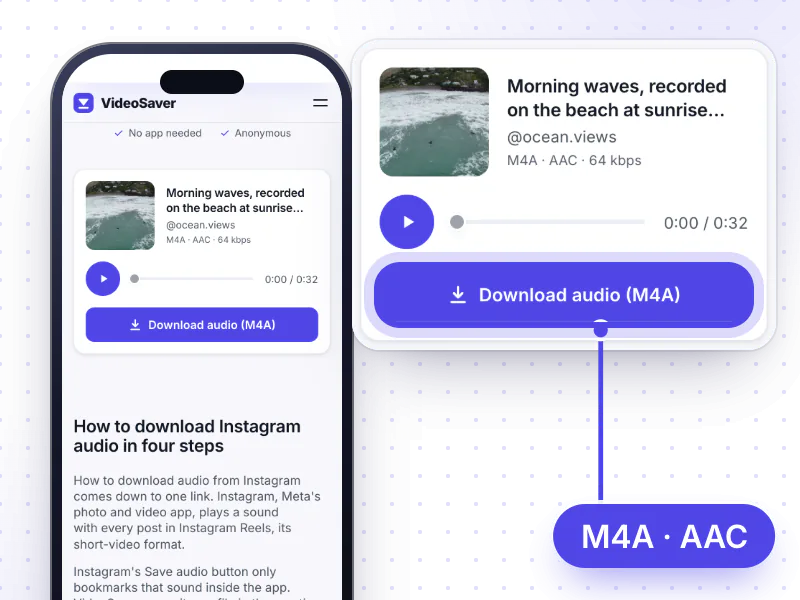
The Instagram audio downloader saves the sound of a public Reel from its link. Copy the link with Share, then Copy link, paste it into VideoSaver and save the sound as an M4A file. The file holds the audio track in AAC (Advanced Audio Coding) that Instagram serves with that Reel, without a login or an Instagram account. VideoSaver reads public Reels only. Our guide on how to save audio from Instagram compares this with the in-app save.
Warning
A saved M4A is a reference copy for your own editing and listening. It gives you no right to publish the song. When you post, add the sound with Use audio inside Instagram, where the music license applies, and keep the downloaded file out of the upload.
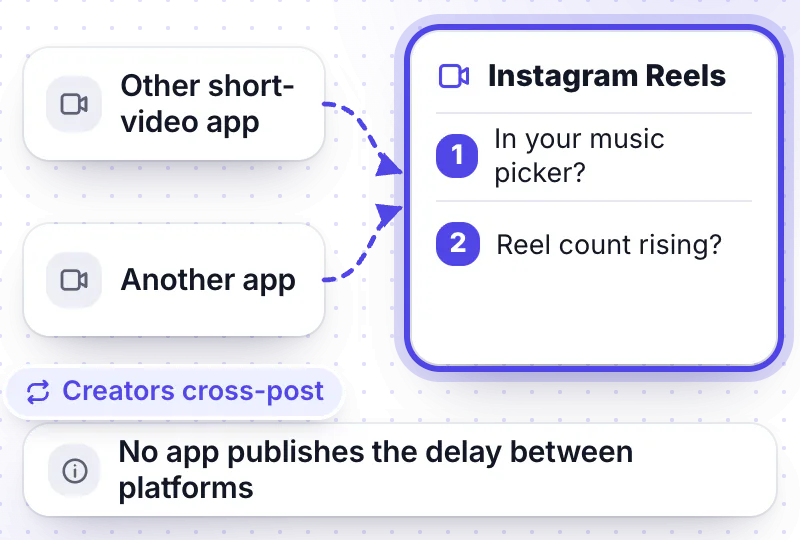
Many creators cross-post the same video to TikTok, YouTube Shorts and Instagram Reels, so a sound that spreads in one app often shows up in the others. SocialBee and Buffer both recommend checking TikTok's trending sounds and the Shorts feed for early candidates. Spotify playlists with viral tracks are a slower, secondary source.
No app publishes the delay between platforms. Use other apps to fill the shortlist, then run every candidate through the audio page check on Instagram. A song missing from the Instagram music library can't go into your Reel, however popular it is elsewhere.
Type "trending audio Instagram" into a search engine and most results are lists of trending songs for a given month. Those lists go stale for three reasons.
- Speed. Buffer reports that the Trending tab updates every few days. A monthly list is old before the month ends.
- Availability. Instagram's Help Center says licensed music may not be available in certain countries or regions, and certain business accounts have no access to the library. A song on someone else's list can be missing from your music picker.
- Timing. A list records what already got big. To join a sound early, you need its direction, and only the audio page shows that.
A method you run yourself stays current. Trending Instagram audio changes faster than any article can, including this one.
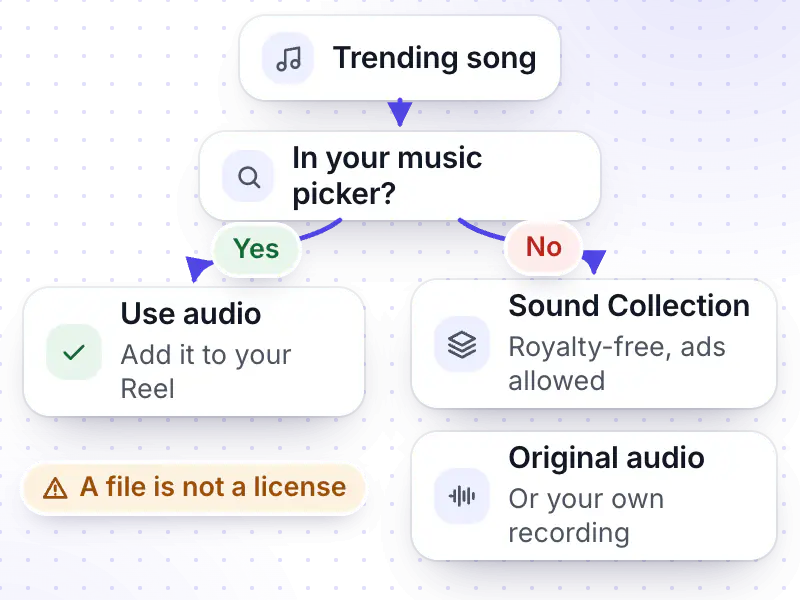
A trending song helps only if your account may add it. Instagram's Help Center says certain business accounts and certain types of posts do not have access to the licensed music library, and that licensed music may not be available in certain countries or regions. Accounts without the library can use the Meta Sound Collection, which the Help Center describes as over 14,000 royalty-free songs and sounds that are safe for Reels and Stories and allowed in ads.
Meta's Music Guidelines set the commercial rule. Using music for commercial or non-personal purposes is prohibited without the needed licenses, and a rights holder can block, mute or remove content that uses its music without permission. Copyright stays with the artist and label whether a song trends or not.
Trending original audio, such as a voice line or a sound a creator recorded, belongs to that creator, and it is often the only trending audio a business account can add. Adding it with Use audio keeps the creator's name on your Reel and links viewers back to the source.
Note
This is general information, not legal advice. For brand campaigns, paid partnerships and ads, check the license of the exact track before you publish.
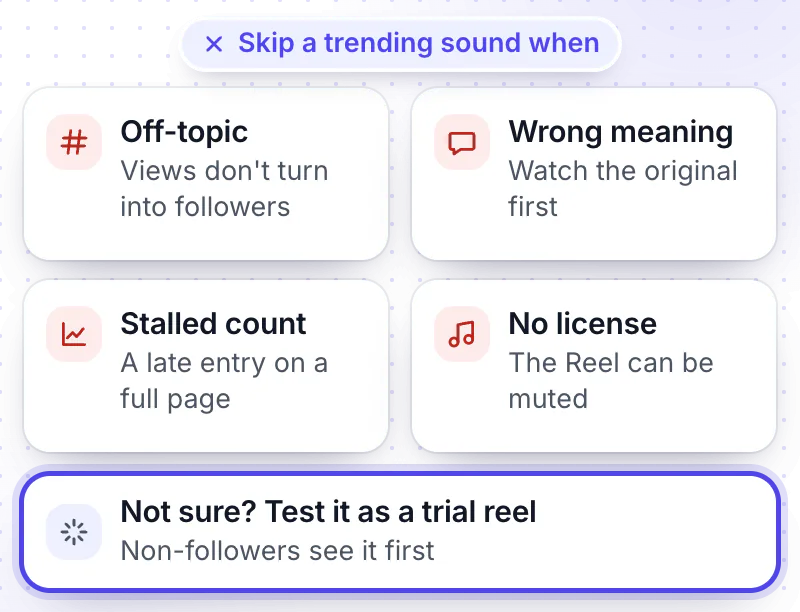
Trending audio brings attention only when the sound fits the Reel. Skip a trending sound in these cases.
- The sound doesn't match your topic. Views from people who came for the sound and not for your niche rarely turn into followers.
- The sound carries a meaning you don't want. Some sounds come with a joke, a news story or a person attached. Watch the original Reel before you reuse it.
- The Reel count has stalled. A late entry competes with every Reel already on the audio page.
- Your account can't license the song. A business account that uploads a licensed song outside the music picker risks a muted or removed Reel.
To test a new sound without showing it to your followers first, post it as one of Instagram's trial reels, which the Instagram Creators blog says are shown to non-followers first. To share another creator's trending Reel instead of making your own, follow how to repost a Reel on Instagram with credit and permission.
Frequently asked questions
Short answers to the questions readers ask most about this topic.
What does the arrow next to a song on Instagram mean?
The small arrow pointing up and to the right marks trending audio, a sound whose use is growing on Instagram. It replaces the usual music note next to the sound name. Instagram doesn't publish the threshold behind it, so open the audio page and compare the Reel count over a few days before you commit.
Why can't I see trending audio on my Instagram account?
Three limits hide it. Certain business accounts have no access to the licensed music library, licensed music is missing in some countries, and the dashboard trends list works only for professional accounts. The arrow, the audio page and the Trending tab of the music picker still work for every account with music access.
How often does trending audio change on Instagram?
Instagram publishes no schedule. Buffer reports that the Trending tab of the music picker updates every few days, which is why monthly song lists go stale fast. Checking the Reel count on a sound's audio page twice, a few days apart, gives you a fresher signal than any published list.
Can I download trending audio from Instagram?
Yes, for personal reference. Paste the link of a public Reel into the VideoSaver Instagram audio downloader and save the sound as an M4A file with no login. The file gives you no right to publish the song. Add the sound to your own Reel with Use audio inside Instagram, where the music license applies.
Is trending audio on Instagram this week the same for everyone?
No. Licensed music availability differs by country and account type, so the Trending tab of one account can show songs another account can't use. Professional accounts get an extra dashboard list. Treat any public list as a starting point and confirm each sound in your own music picker.
Sources
Facts about Instagram features in this article come from these pages.
- Instagram Creators blog: Discover the hottest trends and more updates on Reels creators.instagram.com
- TechCrunch: Instagram Reels adds a dedicated trending section for creators techcrunch.com
- Instagram Help Center: music availability for business accounts and Sound Collection (text confirmed through the search index, the page renders with JavaScript) help.instagram.com
- Meta Music Guidelines facebook.com
- Buffer: How to find trending audio on Instagram buffer.com
- SocialBee: How to find trending audio on Instagram socialbee.com
- Instagram Creators blog: Trial reels creators.instagram.com