Instagram Profile Picture Size: Upload Specs, Circle Crop and How to See It Full Size
Instagram Help Center publishes no profile picture size, so guides quote 110, 180, 320 or 720 px. A 1080 x 1080 square with the subject in the central circle covers every figure.
Short answer
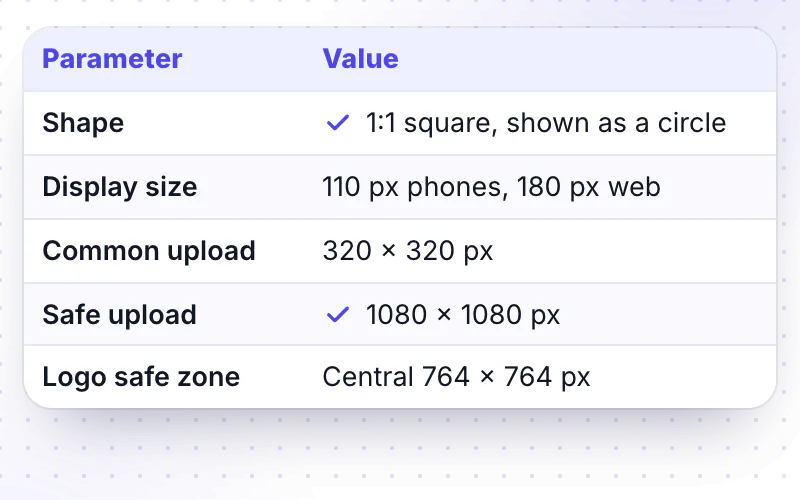
Instagram Help Center publishes no Instagram profile picture size, so every number you see in a guide is a third-party measurement or a recommendation. The figures that repeat most often are a 110 x 110 px circle on phones and a 320 x 320 px upload. A 1080 x 1080 px square with the subject inside the central circle covers every number in circulation and survives the round crop.
| Parameter | Value | Where the number comes from |
|---|---|---|
| Shape | 1:1 aspect ratio, shown as a circle | All guides and the app itself |
| Display size | 110 x 110 px on phones, 180 x 180 px on the web | Third-party guides, not Instagram |
| Common upload size | 320 x 320 px | Most guides |
| Safe upload size | 1080 x 1080 px | Larger than every published figure |
| Logo safe zone | Central 764 x 764 px square on a 1080 px canvas | Circle geometry |
The top pages for this question each state one number as fact, and the numbers do not match. The table lists what each source said when we checked it.
| Source | Display size | Upload or stored size |
|---|---|---|
| Instagram Help Center | Not published | Not published |
| ShareThis | 110 x 110 px on phones, 180 x 180 px on the web, 40 x 40 px in the feed | Stored at 320 x 320 px, minimum 110 x 110 px |
| Dimensions.com | 110 px on phones, 180 px on the web | Not stated |
| First Pier | 110 x 110 px | Upload 320 x 320 px |
| ExpertPhotography | Mentions 110 x 110 px from size guides | Export 320 x 320 px, citing Adobe Express |
| Snappa | Not stated | 320 x 320 px, recommends 1000 x 1000 px |
| SocialSizes | 720 x 720 px | Minimum 160 x 160 px, upload 720 x 720 px |
| Kapwing | 110 x 110 px on phones | Around 1080 px as the optimal upload |
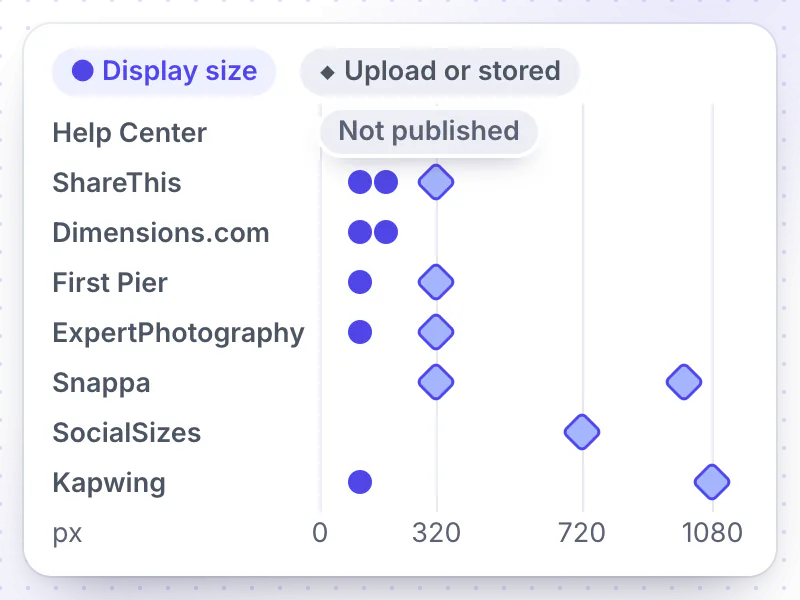
None of these pages links to an Instagram statement for its profile number. SocialSizes stands alone with 720 px as a display size, and the 180 px web figure comes from an older ShareThis guide that newer pages repeat. The honest conclusion: the exact pixel size Instagram uses is not public, so the safe move is to upload a file larger than every quoted figure.
Display size, stored size and upload size are three different numbers
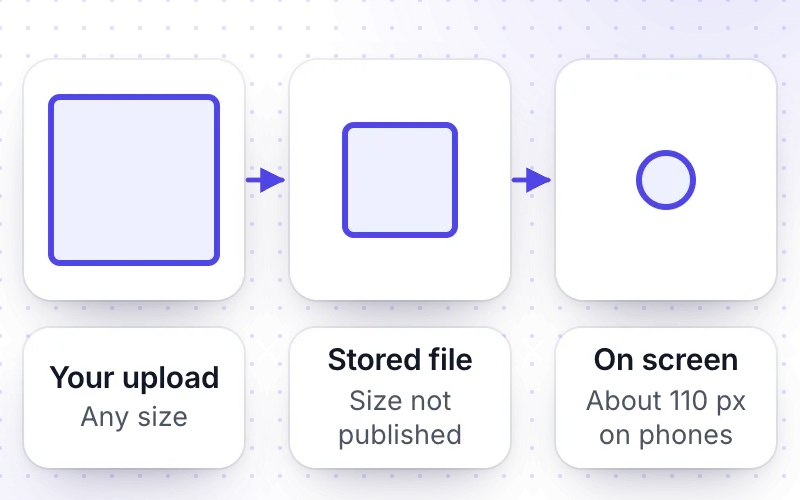
Most of the conflict disappears once the three measurements are separated. The upload size is the file you choose. The stored size is the file Instagram keeps and serves, which is also what a downloader saves. The display size is how large the app draws the circle on a given screen. Guides that list Instagram profile picture dimensions often mix all three in one line, so 110 px and 320 px end up looking like rival answers to the same question.
Where the 320 px figure appears in Instagram Help Center
Instagram Help Center publishes one 320 px rule, and it covers feed posts, not the avatar. The image resolution article says photos between 320 and 1080 px wide keep their original resolution, smaller photos are enlarged to 320 px wide, and larger ones are sized down to 1080 px wide. Treat any claim that this rule defines the Instagram profile photo size as a guess.
Upload a 1:1 square of 1080 x 1080 px. That file is larger than every display and upload figure in the table, from 110 px to 720 px, so no guide's number asks for more pixels. The practical minimum size is 320 x 320 px, the figure most guides repeat, because a file of 320 pixels already exceeds the 110 pixels most guides give for the circle.
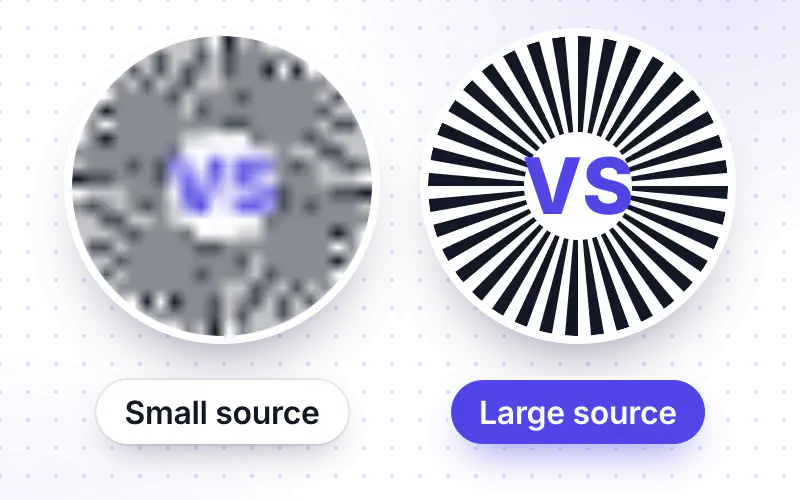
A bigger file only helps when it holds real detail, and higher resolution without detail changes nothing. Enlarging a 200 px logo to 1080 px adds pixels without adding sharpness, so export from the original design file or the photo at full resolution before uploading. The same logic explains why Reels and posts lose quality, covered in why Instagram ruins photo quality.
Why a profile picture looks blurry
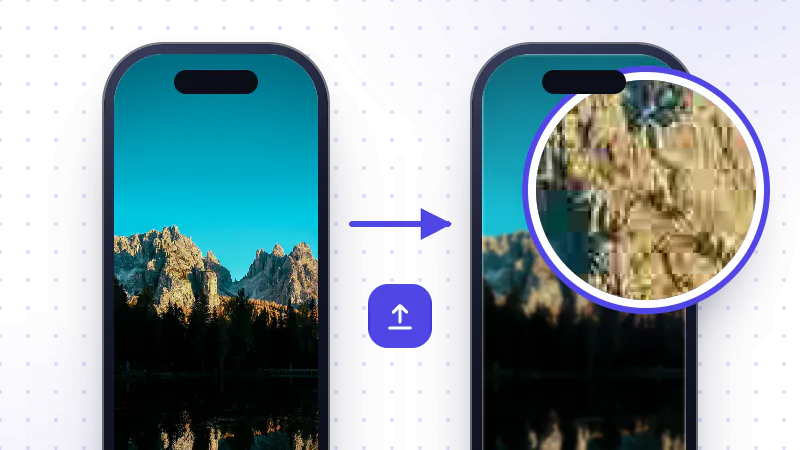
An avatar looks blurry for three common reasons. The source was too small, so the app stretches few pixels across the circle. The subject was zoomed in during upload, which throws away most of the frame. The image was a screenshot or a re-saved JPEG, and each lossy save removes detail. Screens with high pixel density draw the small circle with more device pixels than its nominal size, which makes a weak source easier to notice.
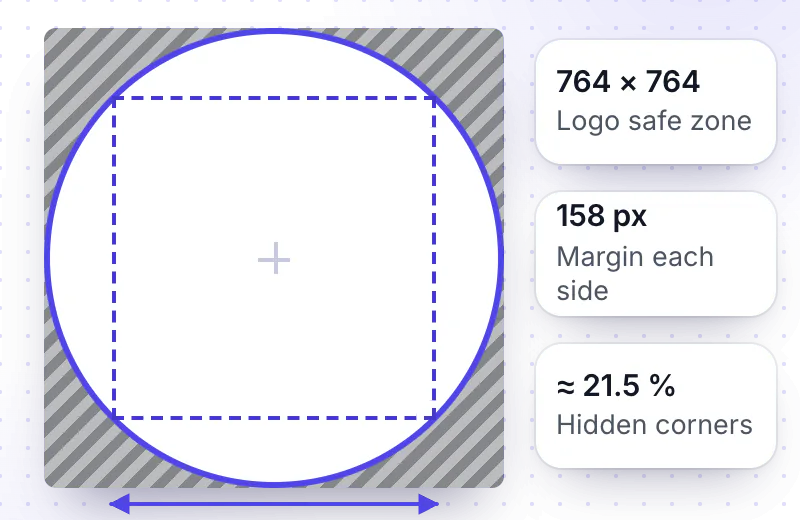
Instagram applies a circular crop to the square image, and the circle touches all four edges. On a 1080 x 1080 px canvas the circle has a diameter of 1080 px and keeps about 78.5% of the area, so the corners that get cut off make up about 21.5%. The largest square that fits fully inside that circle measures about 764 x 764 px, centered, with a 158 px margin on every side. On a 320 px canvas the same inner square is about 226 px.
The template below answers the Instagram profile picture size circle question in one file. Download the PNG, place it as the top layer in any editor and keep the important elements, such as a face or logo, inside the guides.
Logos and wordmarks
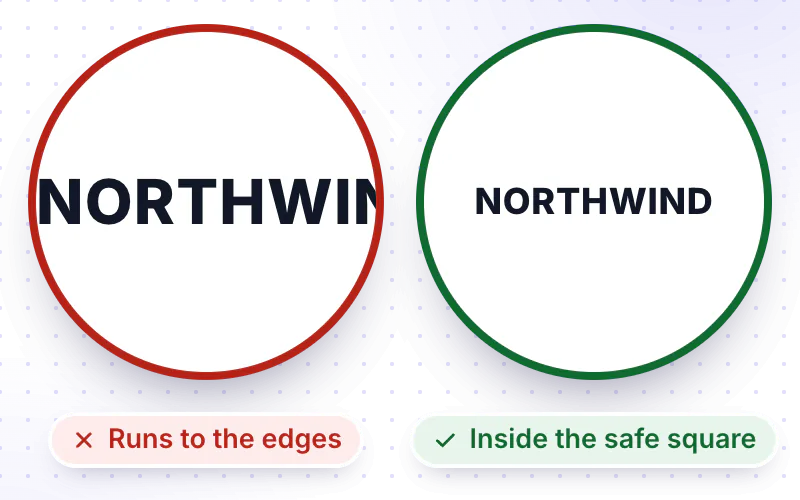
A logo needs the inner square, not just the circle. Round and square marks can fill most of the circle, but a wide wordmark loses its first and last letters at the edges. Scale a wordmark to the 764 px square, or switch to the brand's compact symbol for the profile picture.
Portraits and faces
A portrait needs the face inside the circle with some air around it, and the eyes are the natural focal point. Place the eyes slightly above the center line and keep the chin and the top of the head inside the circle. A plain, contrasting background helps the face read at small display sizes.
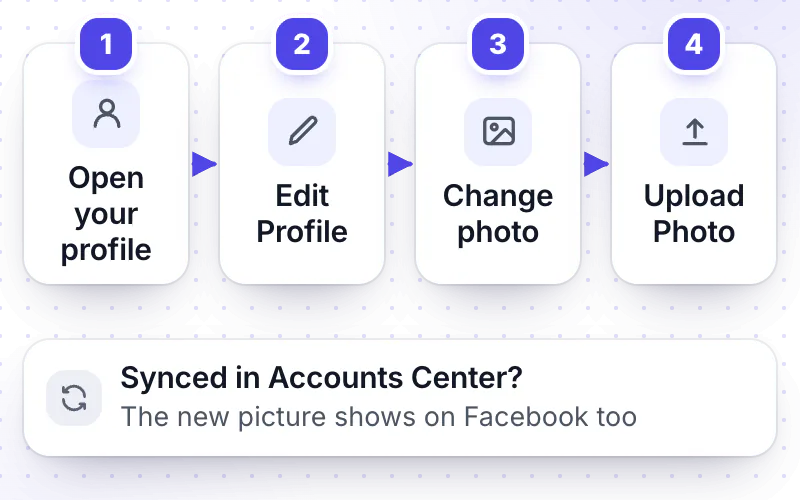
On a computer, Instagram Help Center lists four steps: open your profile, click Edit Profile, click Change photo, then click Upload Photo and choose the file. The same article describes a second route through Accounts Center under Settings, Profiles and Profile picture. If your name and profile picture are synced across profiles in Accounts Center, the sync settings apply the new picture to your Facebook profile too.
Check the result on a phone and on the web after the upload. A logo that looked centered in the editor sometimes sits off-center once the circle is drawn.
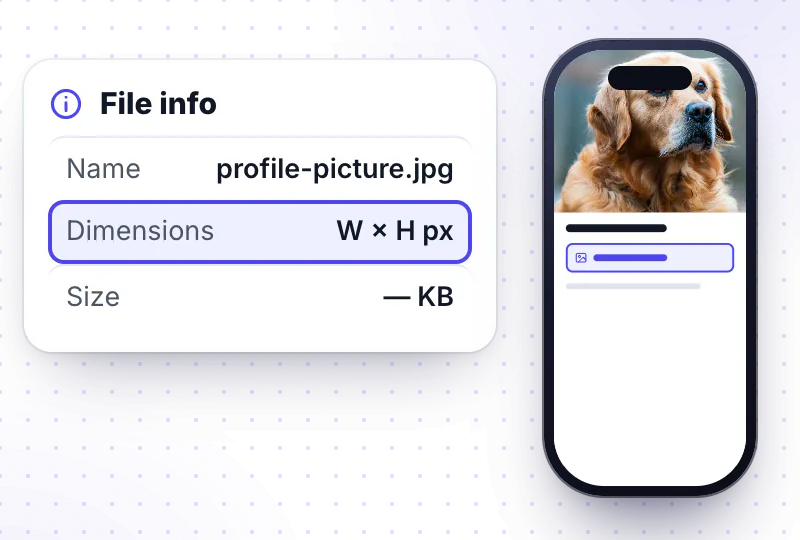
The real size of an avatar is easy to read once you have the file. Save the image with VideoSaver Profile picture, then open the file details and read the width and height:
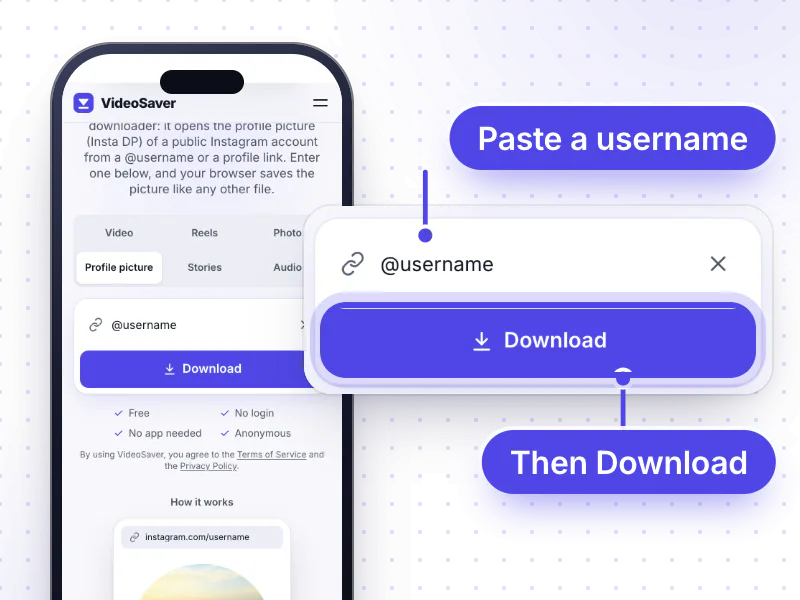
- Copy the username or profile link of a public account.
- Paste it into VideoSaver Profile picture and press Download.
- Open the saved image. On iPhone, open it in Photos and swipe up for details. On Android, open it in the gallery app and choose Details. On Windows, right-click the file and open Properties, then Details. On a Mac, open it in Preview and choose Show Inspector.
- Compare the pixel dimensions with the numbers in the table above. A high resolution file is the stored copy at its largest public size.
VideoSaver opens the file Instagram serves for that public account and adds no watermark. The dimensions depend on what the owner uploaded, so a small or tightly cropped upload stays small. This method measures the stored file, not the circle the app draws. The same check works for post images saved with the Instagram photo downloader.
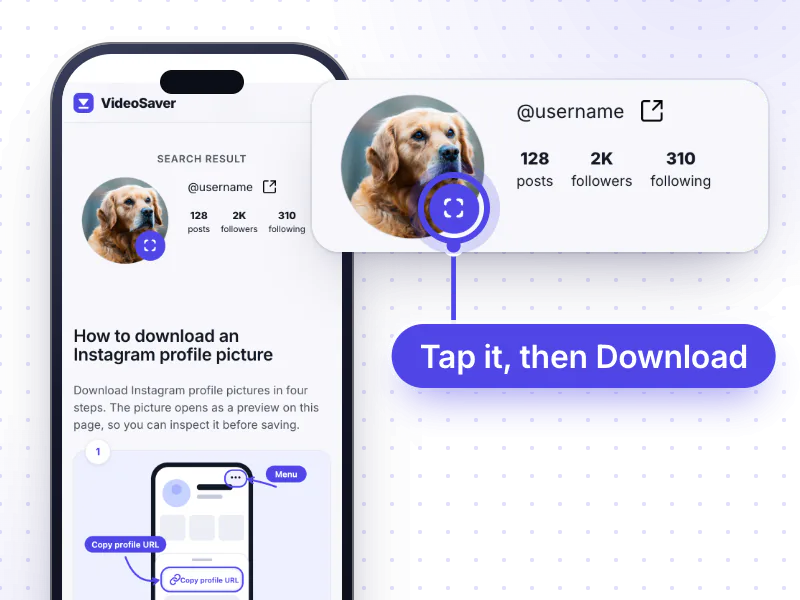
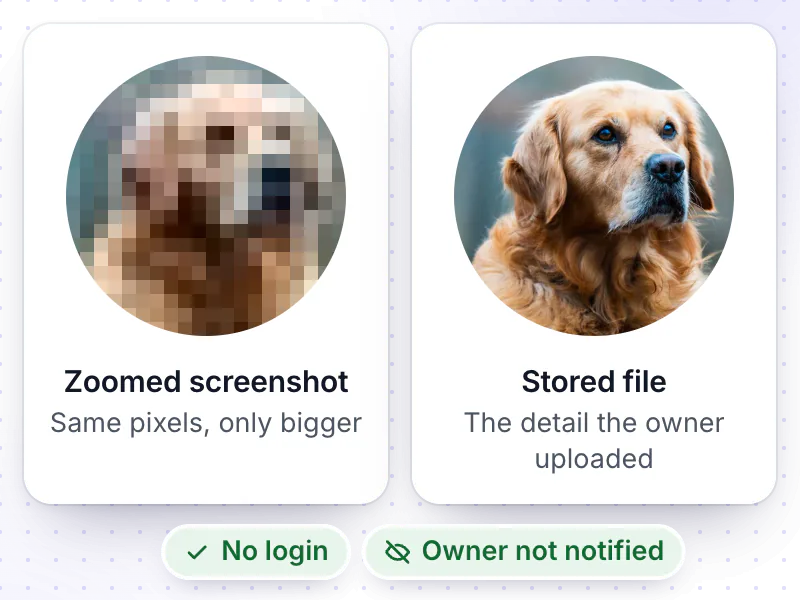
The circle in the app is a small preview, and pinch zoom on a screenshot of it only enlarges the screenshot's pixels. An Instagram profile picture full size view needs the stored file itself. VideoSaver saves that file for any public account without a login, and the account owner is not notified, as explained in what Instagram tells people when you save their content. Instagram profile picture zoom tricks cannot add detail that the owner never uploaded.
For the other formats on your profile, see the Instagram Reel size and safe zones guide and the steps to save photos from Instagram in their original quality. Current Stories of the same public account open in the Instagram Story downloader.
Frequently asked questions
Short answers to the questions readers ask most about this topic.
What size is an Instagram profile picture?
Instagram Help Center does not publish a profile picture size. Third-party guides most often cite a 110 x 110 px display circle on phones and a 320 x 320 px upload. A 1080 x 1080 px square is larger than every figure the guides quote, so it is the safe file to upload.
What is the Instagram DP size?
The Instagram DP size is the same as the profile picture size, because DP stands for display picture. Guides quote 110 x 110 px for the circle on phones and 320 x 320 px for the upload. Upload a 1:1 square of at least 320 px, ideally 1080 px, with the subject centered.
Does Instagram crop the profile picture to a circle?
Yes, Instagram shows the profile picture as a circle cut from a square image. The circle keeps about 78.5% of the square and hides the four corners. On a 1080 x 1080 canvas, anything inside the central 764 x 764 px square stays visible, so logos and text belong there.
Why does my Instagram profile picture look blurry?
An Instagram profile picture usually looks blurry when the source file was small, cropped tightly or saved several times as a compressed copy. Instagram then enlarges fewer pixels to fill the circle. Start from the original photo or design file and export a fresh 1080 x 1080 px square.
Can I see an Instagram profile picture in full size?
You can see a public Instagram profile picture in full size by saving the file Instagram serves for that account. VideoSaver Profile picture does this from a username or profile link, with no login. Private accounts stay private, and the file is never larger than what the owner uploaded.
Sources
Facts about Instagram features in this article come from these pages.
- Add a profile picture or change your current picture on Instagram — Instagram Help Center help.instagram.com
- Image resolution of photos you share on Instagram — Instagram Help Center help.instagram.com
- Sync your profile information across your accounts — Instagram Help Center help.instagram.com
- Instagram Profile Photo Size — ShareThis sharethis.com
- Instagram Profile Picture — Dimensions.com dimensions.com
- Instagram Profile Picture Size — First Pier firstpier.com
- Instagram Profile Picture Size Guide — ExpertPhotography expertphotography.com
- The Ideal Instagram Profile Picture Size — Snappa snappa.com
- Instagram Profile Picture Size — SocialSizes socialsizes.io
- Instagram Profile Photo Size — Kapwing kapwing.com