How to Watch Instagram Reels and Stories Without an Account
Public Instagram Reels, posts and profiles open in a web browser with no account, and public stories open by username in a story tool. Private accounts stay closed to everyone except approved followers.
Short answer
Public Instagram Reels and posts open in any web browser: paste the direct link, and the video plays like an ordinary web page. Public stories are harder, because the Instagram website usually answers a stories link with a login screen, so a tool that reads public stories by username is the practical route. Private accounts and Close Friends stories stay closed to everyone except the followers the author approved, and no website, app or trick changes that.
One setting decides what a logged-out visitor sees: whether the account is public or private. The Instagram Help Center states that anyone can see a public profile by visiting instagram.com/username on the web. A private account shows its photos and videos only to people who are logged in to Instagram and approved as followers.
A few details stay visible on both kinds of account. Instagram lists the profile photo, name, username and bio as visible to anyone on or off Instagram, for public and private accounts alike. Business profiles can't switch to private at all, so a store's posts are public by design.
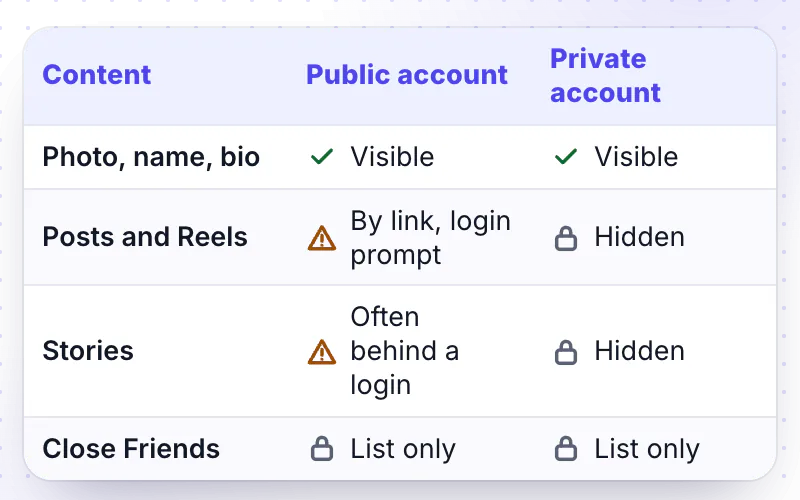
| Content | Public account, no login | Private account, no login |
|---|---|---|
| Profile photo, name, username, bio | Visible | Visible |
| Posts and Reels | Open by direct link and on the web profile, a login prompt may appear | Hidden |
| Stories and Highlights | Usually behind a login on the Instagram website, open by username in a story tool | Hidden |
| Close Friends stories | Only people on the author's list | Hidden |
| Likes, comments, follows | Need an account | Need an account and an approved follow request |
Instagram doesn't publish how many pages a logged-out visitor can open before the login prompt appears. The point moves with the device, the browser and the content, and Instagram can change it without notice. Plan for a login wall at any moment, and keep the direct link of anything you want to see again.
A direct link is the most reliable way to view Instagram Reel without account sign-up, because the link loads one public video instead of the endless scroll that Instagram keeps behind a login. The same answer covers how to watch Instagram video without account access for regular video posts: the post link opens in a browser the same way.
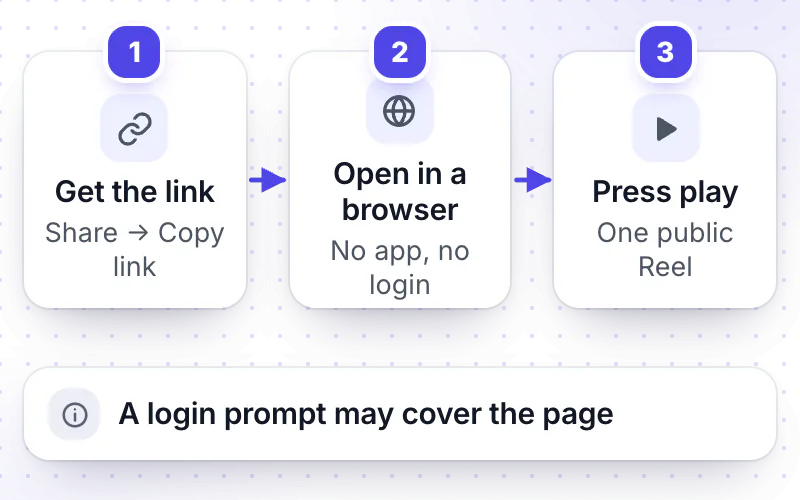
Open the Reel link in a browser
- Get the link. A friend sends it in a message, or a website links to it. A Reel address looks like instagram.com/reel/ followed by a short code.
- Open the link in Safari, Chrome or another web browser, on a computer or in a mobile browser. A phone without the Instagram app opens it in the browser on its own.
- Press play. If a login prompt covers the page, some versions of the prompt can be closed and others can't.
This route lets you watch Instagram Reel without account login for public accounts only. A Reel from a private account answers the same link with a login page, because Instagram shows it only to approved followers.
Save the Reel as a file
A saved file plays offline, with no prompts and no page limit. The Instagram Reels downloader from VideoSaver turns the link of a public Reel into an MP4 video file. The quality is the version Instagram serves for that Reel, and VideoSaver adds no watermark of its own. The tool needs no login, and the creator gets no notification when you save a Reel.
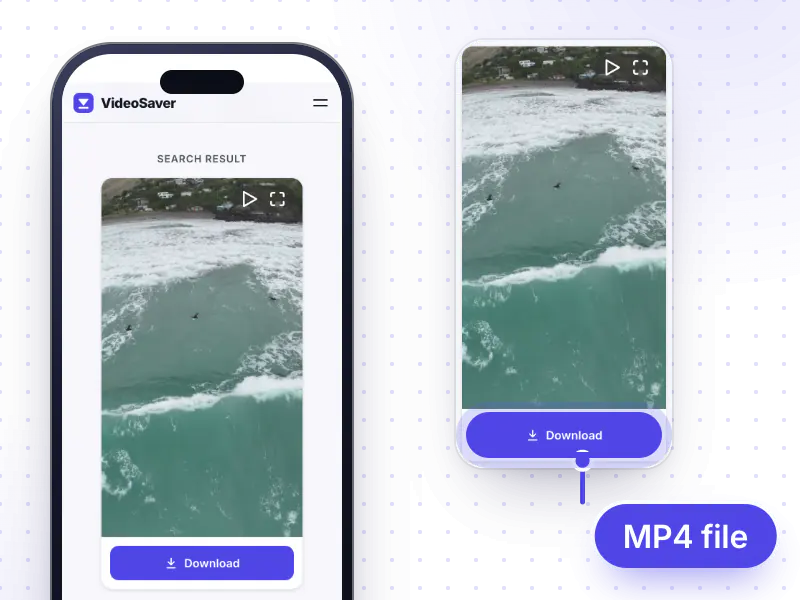
Regular video posts work the same way in the Instagram video downloader, and photo posts in the Instagram photo downloader. Each tool reads public posts only.
Stories are the format where guides contradict each other. Some guides say the Instagram website shows public stories to anyone, and others say stories always need a login. The Instagram Help Center doesn't describe logged-out story viewing at all, so neither claim has an official source. Most recent guides report the same thing: a stories link on the Instagram website ends at a login screen.
Why the Instagram website usually stops at a login screen
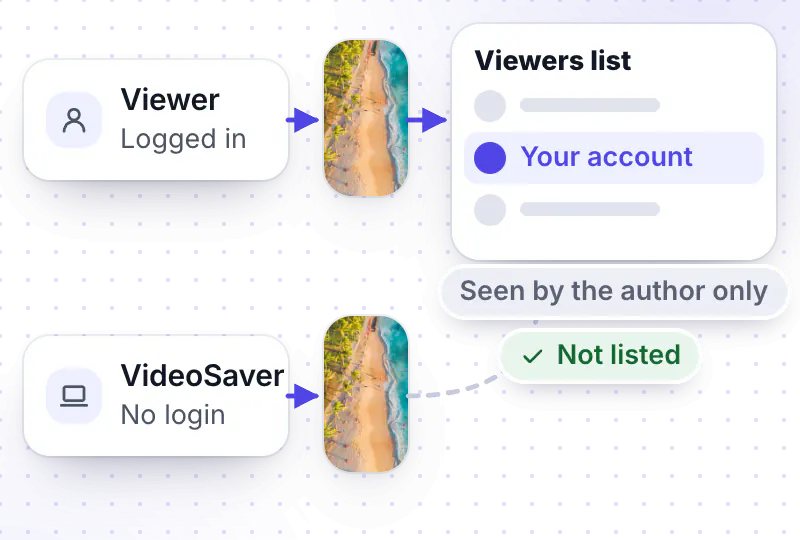
A story is built around the person who watches it. The Instagram Help Center says that only the author can look at who has seen a story, and that list shows the usernames of the people who saw each photo or video. Instagram builds the list from Instagram accounts, and a visitor with no account has no username to put on it.
Some guides suggest reopening Instagram in a private browser window to reset the logged-out limit. We don't recommend it. The trick works around a limit Instagram set on purpose, it stops working without warning, and it still never shows a story from a private account.
Open the stories of a public account by username
The Instagram story downloader from VideoSaver reads the current stories of a public account from an @username, a profile link, a story link or a Highlights album link. Each story appears in a feed with its own Download button, so you can watch it in the browser or keep the file. The tool never signs in to Instagram as you, so the account owner won't see you in the viewers list, and the author gets no notification.
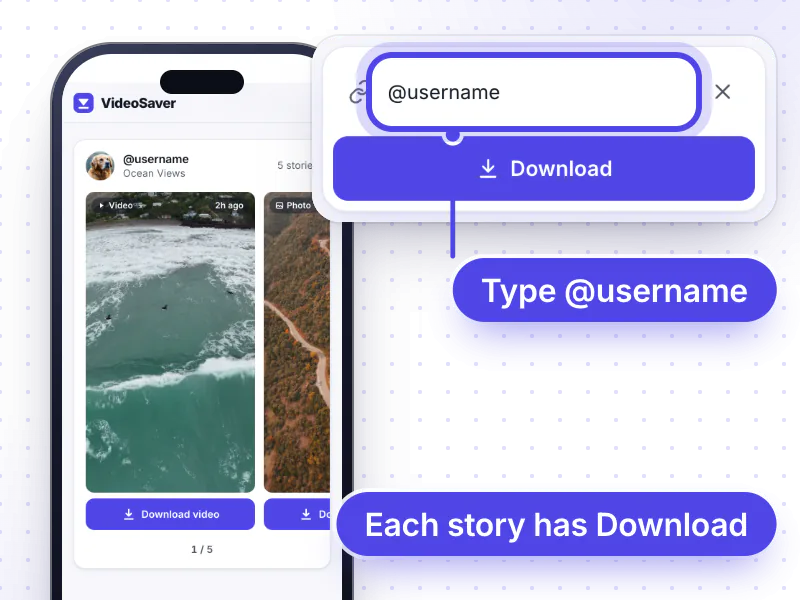
The tool has three limits. It works with public accounts only. A story disappears after 24 hours unless the author pins it to Highlights, so an expired story is gone for everyone. A quick check may appear before the results, the same way some websites ask you to confirm you're a person.
Type instagram.com/ and the username into the address bar of any browser. The Instagram Help Center confirms that a public profile opens at that address for anyone on the web, including people without an account. The page shows the profile photo, the bio and the grid of posts, and each of the individual posts opens on its own page. A login prompt may cover the grid after a few posts.
A search engine helps when you don't know the exact username. Instagram says that links to public photos and videos can appear in search engine results, while links from private accounts don't. Typing a name and the word Instagram into the search bar of a search engine usually brings up the profile address.
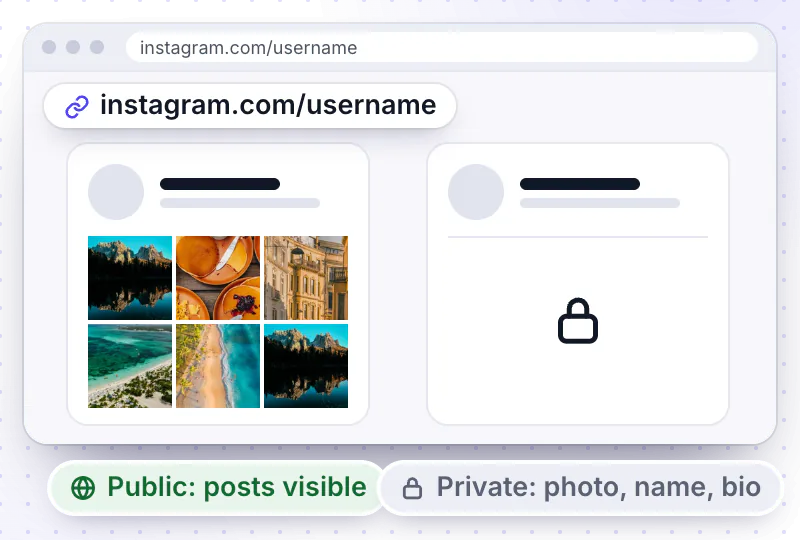
The profile page is the cleanest way to see Instagram without an account: one address, one public profile and no outside website in between.
See the profile picture at full size
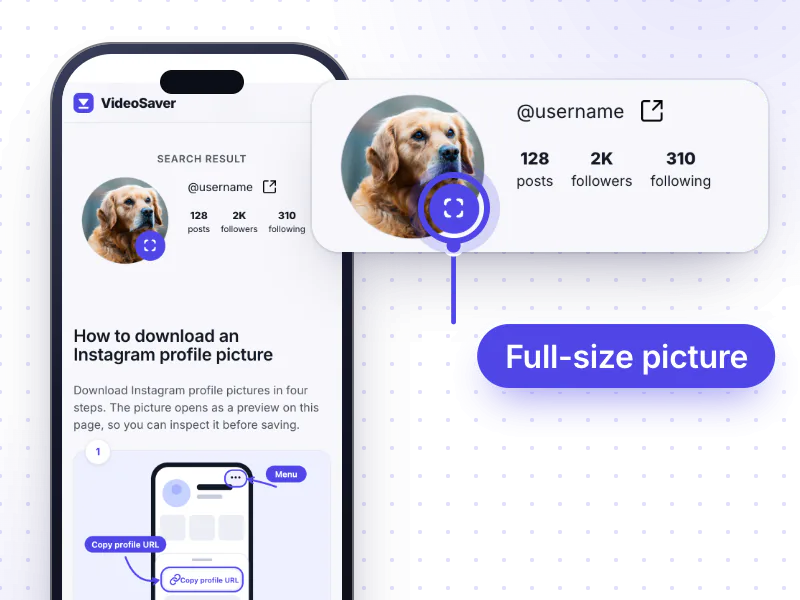
The profile photo on Instagram is a small circle. The Instagram profile picture downloader opens the profile picture of a public account from an @username or a profile link, and your browser saves it like any other file. The owner of the account gets no notification.
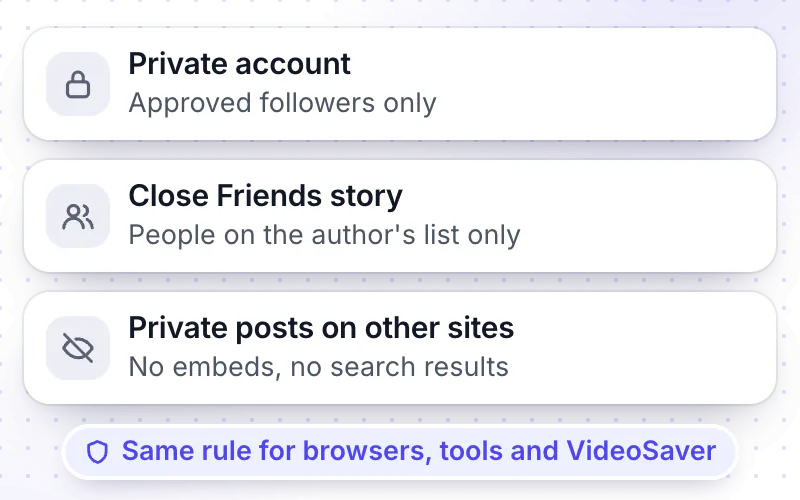
Private accounts are the hard limit. A private account shows its posts, Reels and stories only to logged-in followers the author approved, and that rule holds for a browser, for VideoSaver and for every outside website. VideoSaver saves from public accounts only, and following a private account from your own profile doesn't change what the tool can read. The full explanation is in our guide on downloading from a private Instagram account.
Close Friends stories are private by design. The Instagram Help Center describes Close Friends as a list that lets an author share a story with only the people on that list. A Close Friends story never reaches a stranger, a logged-out visitor or a download tool.
Private posts also stay off other websites. According to the Help Center, nobody can embed photos and videos from a private account on another site, and links to them don't appear in search engine results.
Third party viewer sites that promise private profiles appear in every search on this topic. A site that calls itself an anonymous Instagram Reel viewer and claims to open private accounts can't keep that promise, because Instagram doesn't send private content to anyone outside the approved followers. What such a site can do is take your password, your money or control of your device.
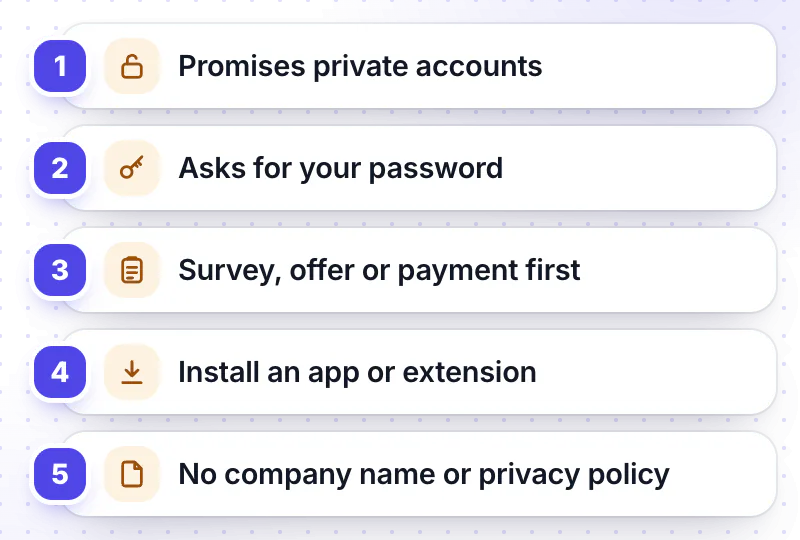
Five signs give a fake viewer away:
- It promises private accounts or Close Friends stories. Nothing outside Instagram has access to them, so the promise itself is the warning.
- It asks for your Instagram username and password. The Instagram Help Center warns that handing your login details to an outside app can give it complete access to your account. The Instagram Terms of Use also forbid collecting information in unauthorized ways and asking other people for their login details.
- It wants a survey, an offer or a payment first. The profile never appears after the survey, and the site moves on to the next request.
- It asks you to install an app or a browser extension to open a profile. A public profile needs nothing but a browser, so the install is the product.
- It has no company name, privacy policy or contact address. Nobody answers when something goes wrong.
If you already typed your password into such a site, change your Instagram password, turn on two-factor authentication and remove apps you don't recognise. The Help Center gives the same three steps for any app that got your login.
No single Instagram Reel viewer without account sign-up covers every format, so match the method to what you want to see.
| Method | What it shows | Limit | Risk to you |
|---|---|---|---|
| Direct link in a browser | One public post or Reel | A login prompt may appear | None |
| Profile at instagram.com/username | Public grid, photo and bio | The grid may stop at a login prompt | None |
| VideoSaver story downloader | Current public stories and Highlights | Public accounts only, stories expire after 24 hours | Low, the service receives your request like any website |
| VideoSaver Reels downloader | One public Reel as an MP4 file | Public accounts only | Low, same as above |
| VideoSaver profile picture downloader | A public profile photo at full size | Public accounts only | Low, same as above |
| Private viewer website | Nothing real | Fails on every private account | High: stolen password, malware, payment scams |
| Free Instagram account | Everything you follow or are allowed to see | Your username appears in story viewer lists | None from the method |
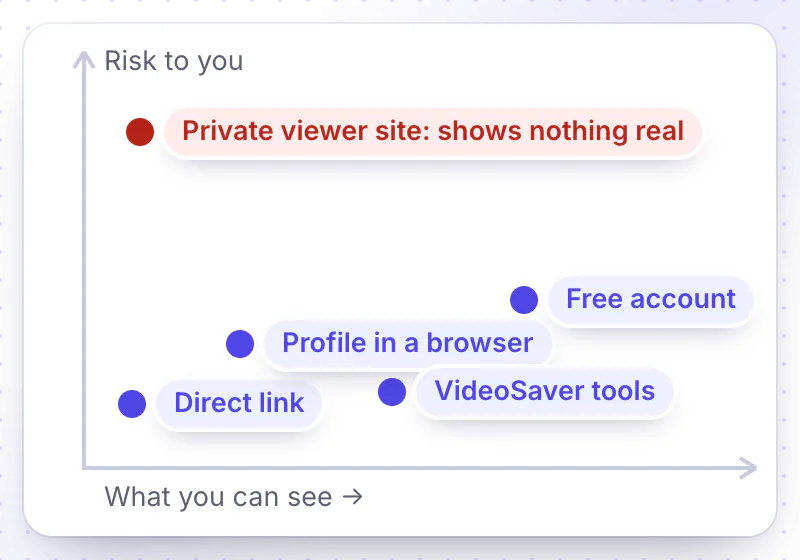
For comments, likes and follow requests, the safest way is to create an account of your own. A free account is the only route Instagram offers to that part of the app.
For a single Reel you want to keep, the file is the most practical answer: it plays offline, on any device, with no login screen.
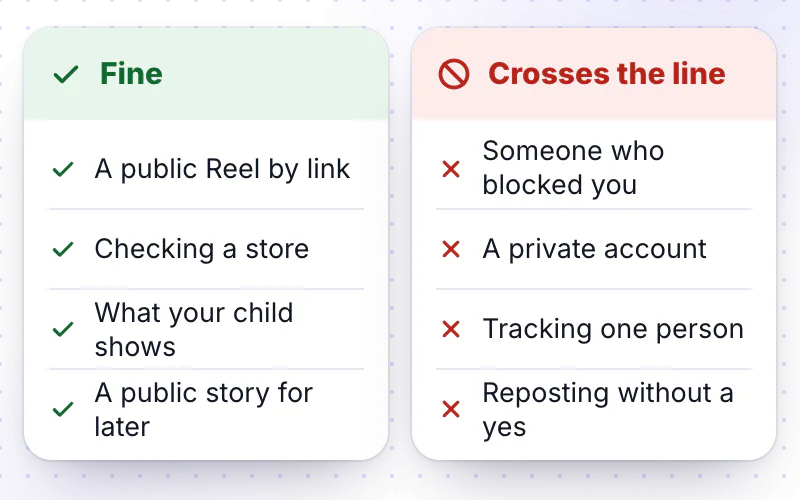
Watching public content without logging in is ordinary use of the web and of social media. The author made the profile public, and a public Reel or story is meant for anyone who opens it. Anonymous viewing of public content is fine. Anonymous watching of a person who closed the door on you is not.
The line is the other person's choice. Someone who blocked you, set their account to private or removed you as a follower has told you they don't want you watching. Instagram supports that choice with its own tools: its guide to blocking says a block can also cover new accounts the blocked person may create. Using a logged-out browser or a download tool to keep watching someone who blocked you works against that choice, and repeated unwanted attention can turn into harassment or stalking.
Anonymity also has a precise meaning here. The author of a public story or Reel doesn't learn that you watched through VideoSaver. VideoSaver itself and every website you visit still receive your IP address with each request, and our Privacy Policy explains what the service keeps. Two related guides cover the rest of the picture: whether creators can see who viewed a Reel and whether Instagram notifies people when you save or screenshot.
Parents checking what is public
A parent without an Instagram account can open a child's profile in a browser and see exactly what a stranger sees. The Instagram Help Center says that accounts of teens aged 13 to 17 start as private. A Meta newsroom post on teen safety names a lower default age for the US, so Meta's own sources disagree on the threshold. The browser check settles the question for one specific profile: a private teen account shows only the photo, name and bio.
Journalists and researchers
A reporter checking a public account can read the profile, open its Reels by link and save a public story before it expires. Keep the original link with every saved file, so the source stays traceable. A saved file is for reference: publishing someone else's Reel or story needs the permission of the person who holds the rights.
Shoppers checking a store
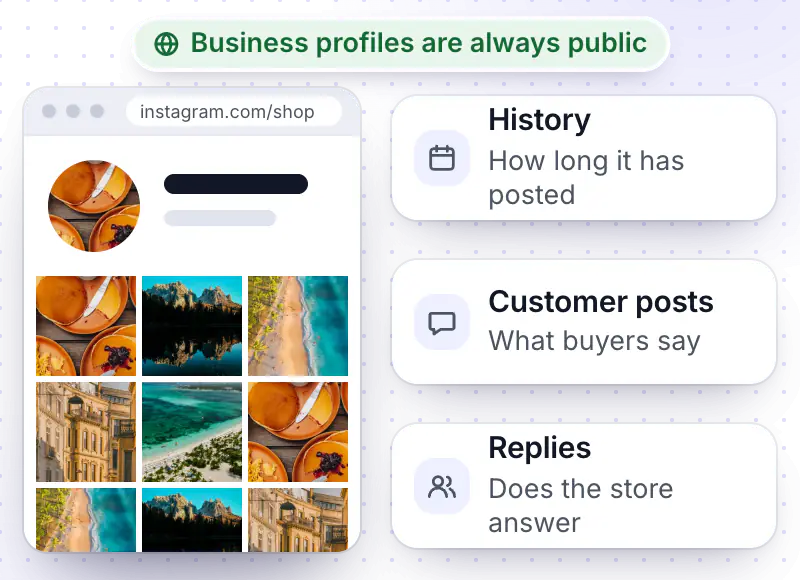
Business profiles on Instagram are always public, so a shopper can review a store's grid, Reels and stories before paying. Look at how long the account has posted, what customers say in public posts and whether the store answers questions. The difference between those formats, and where each keeps its content, is explained in Instagram Reels vs Stories.
Frequently asked questions
Short answers to the questions readers ask most about this topic.
Can you watch Instagram Reels without an account?
Yes, if the Reel comes from a public account. Open its direct link in a web browser and press play. Instagram may cover the page with a login prompt, and it doesn't publish when that happens. A Reel from a private account plays only for approved followers who are logged in, and no outside website changes that.
Can you see Instagram Stories without logging in?
Public stories, yes, through a tool that reads them by username, such as the VideoSaver story downloader. The Instagram website usually answers a stories link with a login screen. Stories from private accounts and from Close Friends lists stay visible only to the people the author approved, with or without a tool.
Will the account owner know I watched their story?
Not if you watch through VideoSaver. Only the author sees the story viewers list, and that list shows Instagram accounts. VideoSaver never signs in to Instagram as you, so the account owner won't see you in the viewers list, and the author gets no notification when you open or save a public story.
Can you view a private Instagram account without following it?
No. A private account shows its posts, Reels and stories only to followers it approved, and they must be logged in. A browser, VideoSaver and every outside website get the same closed door. Without following, you see only the profile photo, name and bio. Sending a follow request is the one legitimate route.
Is it safe to log in to an Instagram viewer website?
No. The Instagram Help Center warns that giving your login to an outside app can give it complete access to your account. A viewer that asks for your password is a phishing risk. If you already entered it, change your Instagram password, turn on two-factor authentication and remove apps you don't recognise.
Sources
Facts about Instagram features in this article come from these pages.
- Instagram Help Center: Who can see my profile and photos on the web? help.instagram.com
- Instagram Help Center: Differences between public and private accounts on Instagram help.instagram.com
- Instagram Help Center: Make your Instagram account private help.instagram.com
- Instagram Help Center: How to see who's viewed your Instagram story help.instagram.com
- Instagram Help Center: Share a story with your Close Friends list on Instagram help.instagram.com
- Instagram Help Center: About Instagram Teen Accounts help.instagram.com
- Meta Newsroom: Meta's record of protecting teens and supporting parents about.fb.com
- Instagram Help Center: Why you should not use apps that offer likes and followers help.instagram.com
- Instagram Terms of Use help.instagram.com
- Instagram: Difference between Restrict, Mute, Block and Report about.instagram.com