Instagram Reel History: How to Find a Reel You Watched Before
Instagram keeps a Watch history of Reels in Your activity, and sources disagree on how far back it goes. When a Reel isn't there, four more places can hold it: Likes, Saved, your messages and your data export.
Short answer
Instagram reel history lives in Watch history, a list of Reels you watched, found under Your activity in your profile settings. Instagram's head Adam Mosseri described it as covering every Reel you've watched, while launch coverage reported a 30-day window, so check how far back your own list goes. If a Reel isn't there, four more places can hold it: Likes, Saved, your messages and the data export of your account, also called Download your information in older menus.
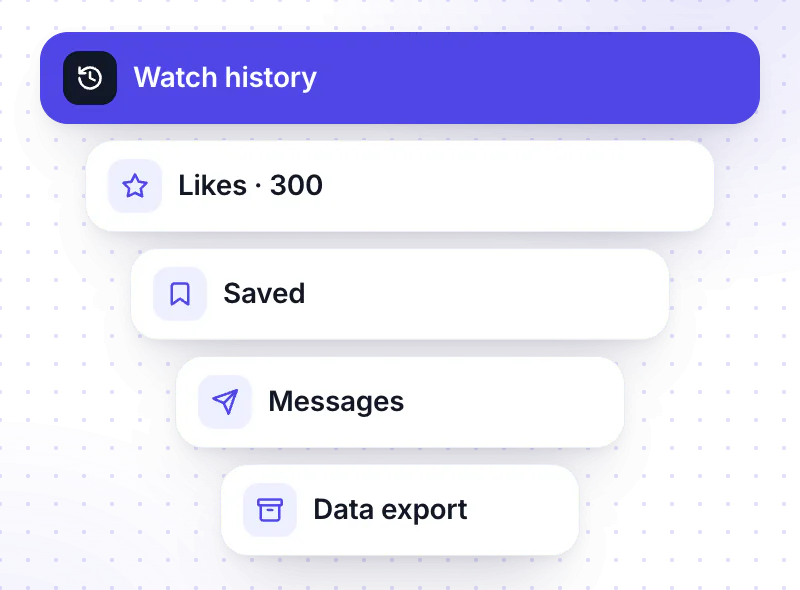
Instagram doesn't keep one complete record of all the Reels you've watched. It keeps several partial records, and each one catches a different kind of Reel. Search them from the most complete to the most reliable.
| Place | What it keeps | How long | Where to open it |
|---|---|---|---|
| Watch history | Reels you watched | Reported as 30 days, described by Mosseri as every Reel | Profile, Settings, Your activity |
| Likes | Posts and Reels you liked | The 300 most recent | Your activity, Interactions, Likes |
| Saved | Posts and Reels you bookmarked | Until you remove them or the post is deleted | Profile, Menu, Saved |
| Messages | Reels you sent or received | As long as the chat is kept | Direct messages |
| Data export | Information and activity of your account | An archive you download once | Accounts Center, Export your information |
Most people who search reel history Instagram terms want the first row. The other four rows matter when that list doesn't reach far enough back, or when it isn't in your app yet.
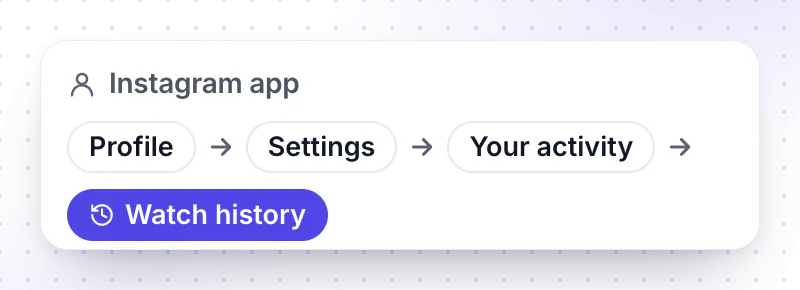
Watch history is Instagram's list of Reels you watched, added as part of Your activity. Adam Mosseri described the path when it launched: go to your profile, tap the menu icon to open Settings, then Your activity, and Watch history is there. TechCrunch compared it to the watch history TikTok has offered for years. That is the most direct answer to how to see reel history on Instagram.
Inside the Instagram reel watch history, you can sort Reels from newest to oldest or the other way round, pick a specific date or date range, and filter by the account that posted a Reel, according to TechCrunch and Social Media Today. You can also remove Reels from the list. The account filter helps when you remember the creator but not the Reel.

How far back does it go?
The sources disagree, and Instagram's Help Center had no article on the feature when we checked it. TechCrunch quotes Mosseri saying you can see every Reel you've ever watched. Social Media Today reported that the feature covers the last 30 days. Both describe the same launch.
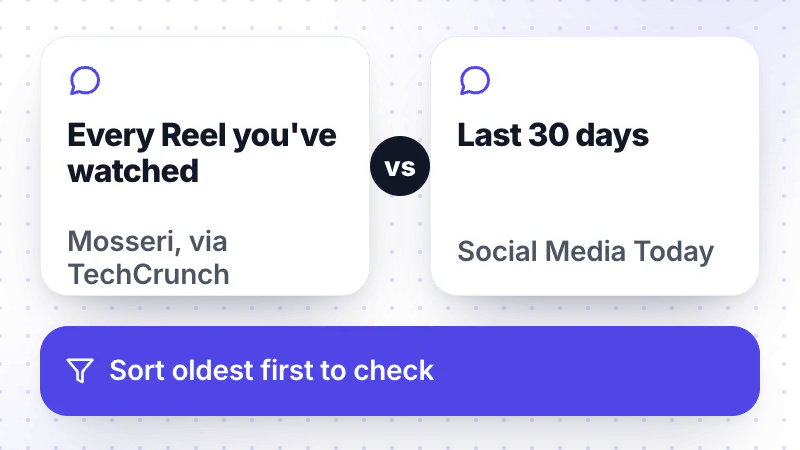
The practical check takes ten seconds. Open the list, sort it oldest first and look at the date of the first entry. That date is the real limit of your Instagram reel view history, whatever any article says.
Why Watch history may be missing
Watch history arrived through an app update, so an old version of Instagram won't show it. Update the app, restart it and look again under Your activity. Features on Instagram often reach accounts gradually, so a friend may have the screen before you do.
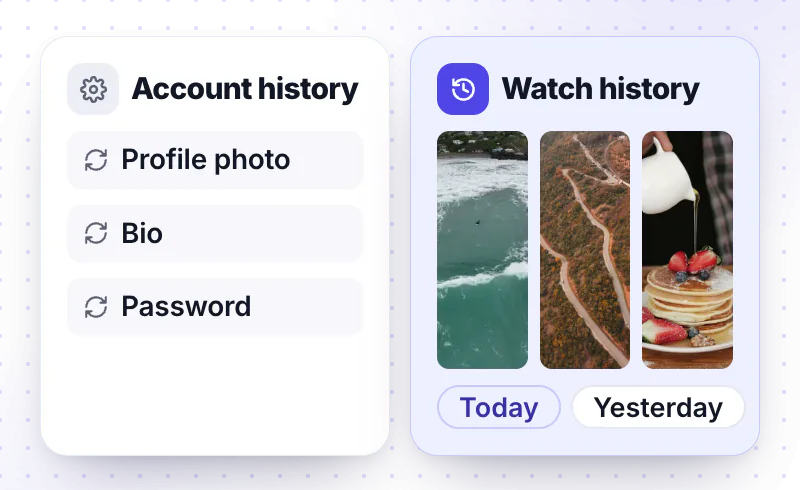
Don't confuse the history feature with Account history, a different screen in Your activity that some guides call the activity log. Instagram's Help Center describes Account history as a log of changes you made to your account, such as a new bio or photo. It lists no Reels.
If you liked a Reel, your Likes list is the next place to look, and it mixes liked posts and Reels in one feed. Instagram's Help Center says the list shows the 300 most recent posts and videos you liked. Open Your activity, then Interactions, then Likes, and tap any item to watch it again.
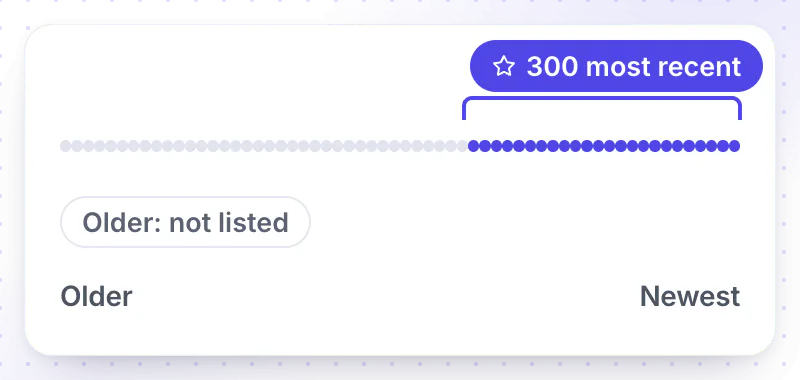
The limit counts all likes, not only Reels. Someone who likes a lot of posts can push a Reel out of the list within days.
Saved holds every post and Reel you bookmarked. For a Reel, the Help Center describes the route as tapping Options, then Save. Your saved items open from your profile: Menu, then Saved, under How you use Instagram. Only you can see what you saved, and the author can't tell that you saved their Reel.
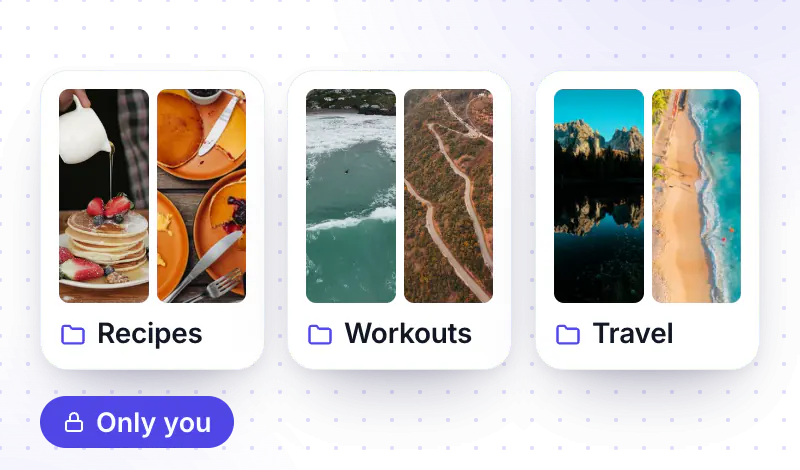
Saved has no 300-item cap like Likes, but it depends on the author. A saved Reel stops playing when the author deletes it or switches the account to private, because Saved stores a link to the post, not a copy. Collections, created by tapping and holding Save, make a long list easier to search later.
People often share a Reel with a friend and forget about it. Open the chat with the person you were talking to and scroll back, because a shared Reel stays in the conversation as long as the chat is kept. This works for Reels you received too.
The same author rule applies here. A Reel shared in a chat opens only while the original post exists. Instagram's Help Center adds that a Reel from a private account, once shared, is visible only to that account's followers.
The export of your information is the slowest route and the least certain one. Older guides call it Data Download. Instagram's Help Center describes it in Accounts Center: Settings, then Accounts Center or Meta Account, Your information and permissions, Export your information, Create export, then Export to device. You choose the types of information, a date range, a format and the media quality.
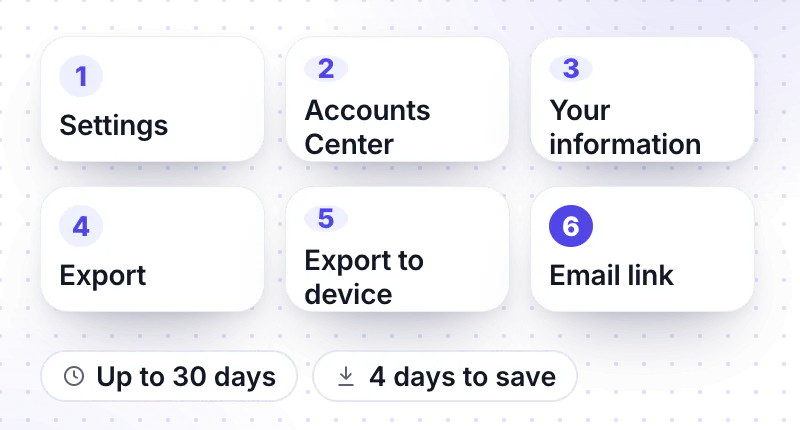
Instagram's Help Center says the export link can take up to 30 days to arrive by email, and you have 4 days to download the files once they are ready. The Help Center describes the contents as information and activity for your account, plus data logs if you pick specific types. It doesn't state that the export includes a list of watched Reels, so treat it as a last resort and check the files for an activity section after the download.
When none of the lists has the Reel, start from what you remember about it. A rough date points to Watch history with a date filter. A creator's name points to their profile and the Reels tab, or the account filter in your history. A song points to its audio page, which lists Reels that use it.
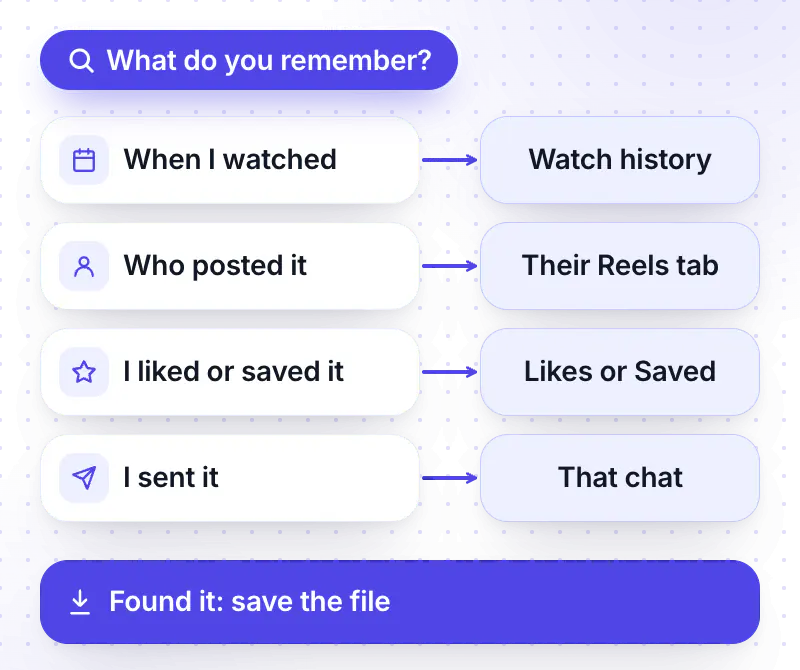
Search inside Instagram helps with creators and topics, not with specific Reels. Type the creator's name, a hashtag you remember or the name of the song, then open the matching profile or audio page and scan its Reels.
Two Reels-feed tools from Instagram's Help Center narrow the search further:
- The Following feed. In the Reels tab, tap For you at the top and switch to Following. The feed then shows Reels only from accounts you follow, from newest to oldest, which suits a Reel from someone you follow that you saw a few days ago.
- Audio and hashtag pages. A tap on the audio name or a hashtag under any Reel opens a page with other Reels that use the same sound or tag. If you remember the song, find any Reel with it and work through its audio page.
Watch history isn't only for finding things. Mosseri said you can remove Reels from it if you'd like to, and the list works with the same selection tools as the rest of Your activity. Open Watch history, tap Select, mark the Reels you want gone and confirm the removal.
Removing a Reel from the list clears your own record of it. The creator never saw your name in the first place, because Reel insights show numbers, not viewers. Removal also doesn't touch Likes, Saved or messages, so a liked or saved Reel stays in those lists until you unlike or unsave it there.
A few seconds of effort while you watch saves a long search later. These habits fit the way the history lists work.
- Save with a collection. Tap and hold Save and drop the Reel into a named collection, such as Recipes or Workouts. Collections have no 300-item cap and stay private.
- Like what you might need again. A like puts the Reel into your Likes list, which is quicker to scan than your full history but only keeps the 300 most recent items.
- Send it to someone. A Reel shared with a friend stays in that chat, which works as a second record of it.
- Save the file. The Watch history entry, the like and the bookmark all point to the author's post. Only a saved file survives when the author deletes the Reel.
A Reel you find in Watch history can vanish the next day, because the author can delete it or make the account private. If the Reel is public and you want to keep it, copy its link from the share menu and save it as a file.
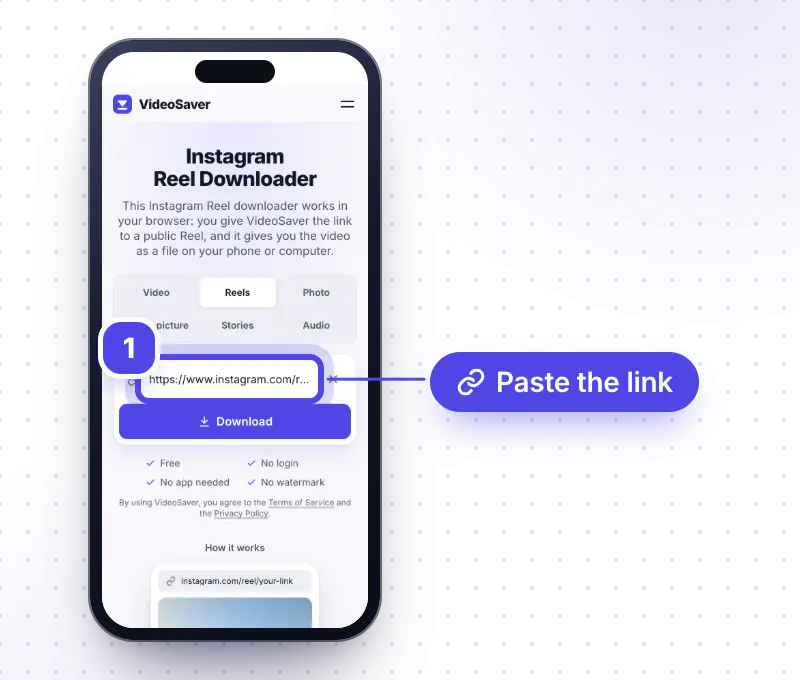
VideoSaver's Instagram Reels downloader saves a public Reel as an MP4 without a login and without an Instagram account. The quality is the best version Instagram serves for that Reel, and VideoSaver adds no watermark. The author isn't notified.
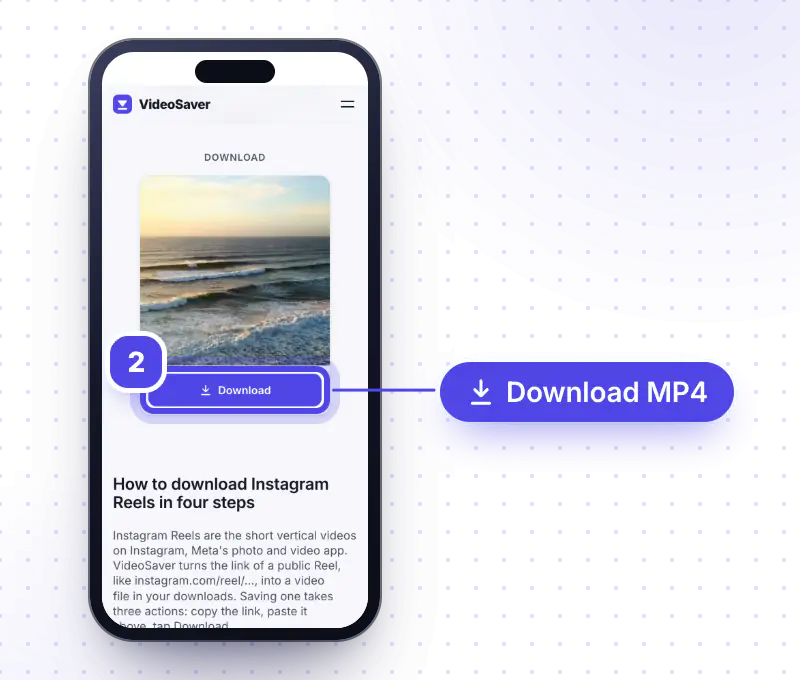
Where the file goes on iPhone and Android is covered step by step in how to save Instagram Reels to your camera roll. Your own Reels have better routes, including drafts and the original upload, explained in how to download your own Instagram Reels.
Instagram's history covers Reels only, so a lost Story needs a different approach. Stories disappear after 24 hours, as our guide to Instagram Reels vs Stories explains. Watching a Reel never tells its creator who you are, which our article on can you see who viewed your Reel covers in detail.
Frequently asked questions
Short answers to the questions readers ask most about this topic.
Can you see reel history on Instagram?
Yes. Instagram added Watch history for Reels under Your activity, reached from your profile's settings menu. It lists Reels you watched, with sorting by date and filters by date range and account. Reports differ on how far back it goes, so scroll to the oldest entry to see your own range.
Why don't I see Watch history in my Instagram app?
Watch history arrived in an app update, so first update Instagram from the App Store or Google Play and restart it. Instagram releases features gradually, and some accounts get them later. Until it appears, check Likes, Saved and your messages, which hold many of the Reels people try to find again.
Does Instagram delete Reels from Watch history?
Watch history keeps a limited window, reported as the last 30 days in coverage of the launch, so older Reels drop out. A Reel also disappears for good when its author deletes it or makes the account private. If a Reel matters to you, save it as a file once you find it.
Can other people see my Instagram reel history?
No. Watch history sits in Your activity, which only you can open, and Instagram's Help Center says only you can see your saved posts. Creators don't see who watched their Reels either. They get view counts and other totals, not names, except for Stories, which show a viewer list.
Sources
Facts about Instagram features in this article come from these pages.
- TechCrunch: Instagram's latest feature lets you go back and see your watched Reels techcrunch.com
- Social Media Today: Instagram adds Watch History for Reels socialmediatoday.com
- Instagram Help Center: See recent photos and videos you've liked on Instagram help.instagram.com
- Instagram Help Center: Save posts you see on Instagram help.instagram.com
- Instagram Help Center: Who can see and share your reels on Instagram help.instagram.com
- Instagram Help Center: Find reels to watch on Instagram help.instagram.com
- Instagram Help Center: Review and export a copy of your Instagram information help.instagram.com
- Instagram Help Center: Information available to download from your Instagram profile help.instagram.com