Can You See Who Viewed Your Reel on Instagram? What Creators Can and Can't See
Instagram never shows a creator which accounts watched a Reel, only counts such as views, viewers and watch time. Likes, comments and follows carry a name, and Stories are the one format with a list of viewers.
Short answer
No, you can't see who viewed your Reel on Instagram. Instagram shows the creator how many times a Reel played and how many accounts saw it, but never which accounts they were. Your name reaches the creator only when you act, with a comment, a follow or a like, and Stories are the one format whose owner sees a list of viewers.
Every number a creator gets about a Reel is an aggregate. The Reels tab on a profile shows the play count under each Reel, and a tap reveals how many people liked, commented on and reshared it, according to Instagram's Help Center. The Reel's statistics screen adds more detail, still without names.
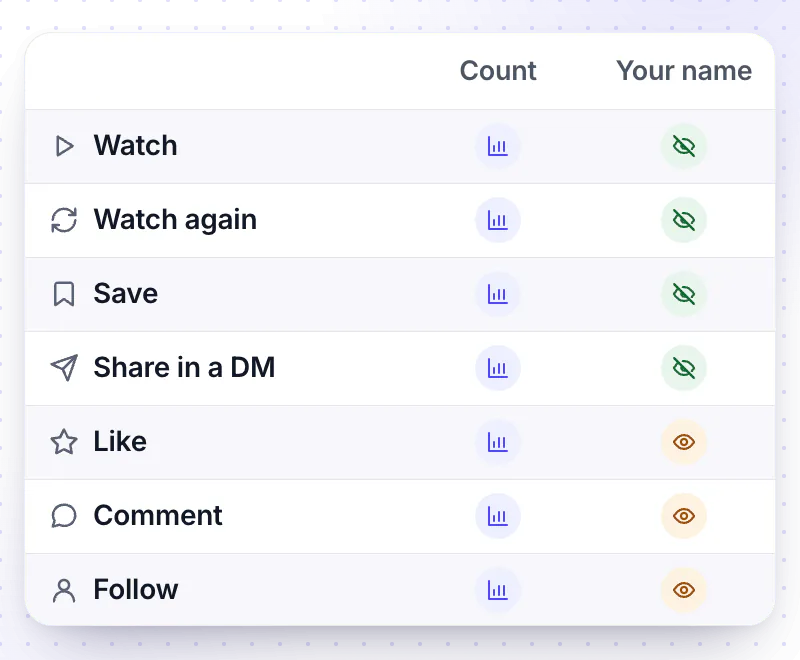
The table answers the question for each action a viewer can take, because individual viewers leave different traces depending on what they do. A view, a replay, a save and a share in a direct message stay unnamed. A comment and a follow carry your account by design. A like is attached to your account, and Instagram's Likes you've made setting controls who else can see what you like.
Instagram's Help Center lists the data available for each Reel. Every item is a number or a breakdown, and the list explains why so many creators look for a viewer list that doesn't exist.
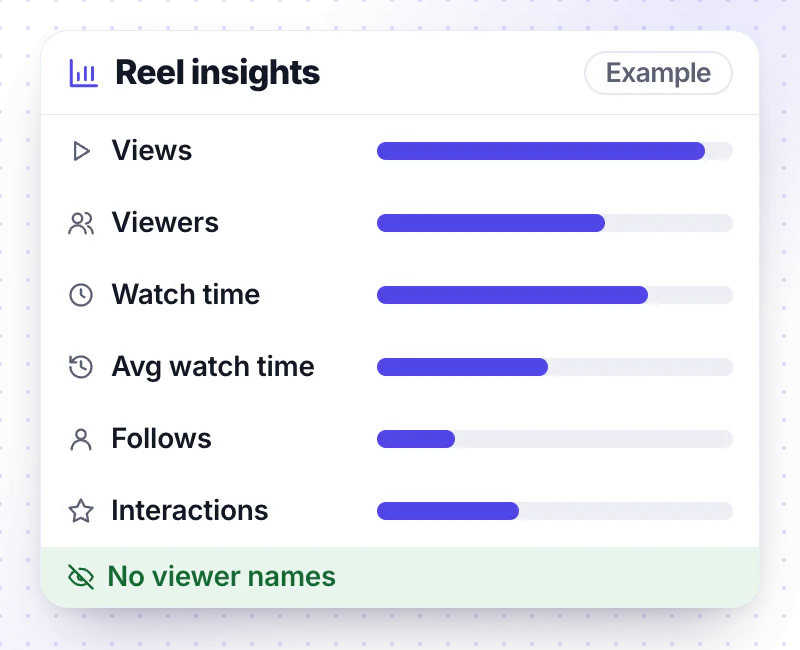
- Views: how many times the Reel started to play or replay.
- Viewers: how many unique accounts saw the Reel on screen at least once, whether or not it played. Instagram marks this metric as estimated and in development.
- Watch time and average watch time: total and average time spent playing the Reel.
- Follows: how many accounts started following you after viewing the Reel.
- Interactions: likes, comments, saves and shares.
Insights need a public account, personal or professional, and they stay available for two years after a Reel is published. Audience demographics such as top countries, cities, age ranges and gender appear only when a Reel reaches more than 100 accounts.
Step by step: open a Reel's numbers
The closest answer to how to see who viewed your reel on Instagram is this screen, so it is worth knowing the way there.
- Go to your profile and open the Reels tab. The number on each Reel's thumbnail is its play count, without replays.
- Tap the Reel you want to check, then tap View insights.
- Read Views, Viewers and Watch time first, then scroll to Interactions for likes, comments, saves and shares.
- For a wider view, open your professional dashboard or Your dashboard and pick a time frame within the past 90 days.
If View insights is missing, check whether the account is private. Instagram's Help Center says these numbers work only on public accounts, and switching to private removes access to them.
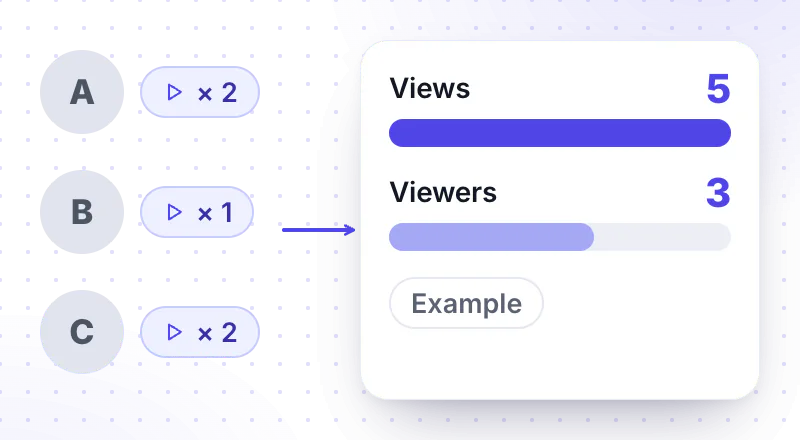
Views and viewers answer different questions. Views count every play, so one fan who rewatches a Reel five times adds five views. Viewers count accounts, so the same fan adds one. A big gap between the two numbers means people rewatch the Reel, which is a useful signal even without names.
Stories are the only format that names its viewers. Instagram's Help Center says you open your Story and swipe up to see the number and the usernames of the people who viewed each photo or video. Only the account owner sees that list, and it stays available for up to 48 hours after posting, through the Archive once the Story has expired.
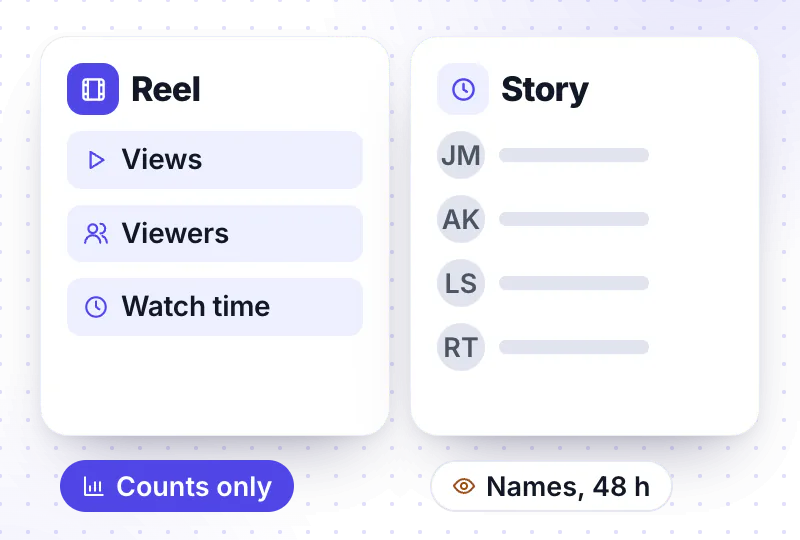
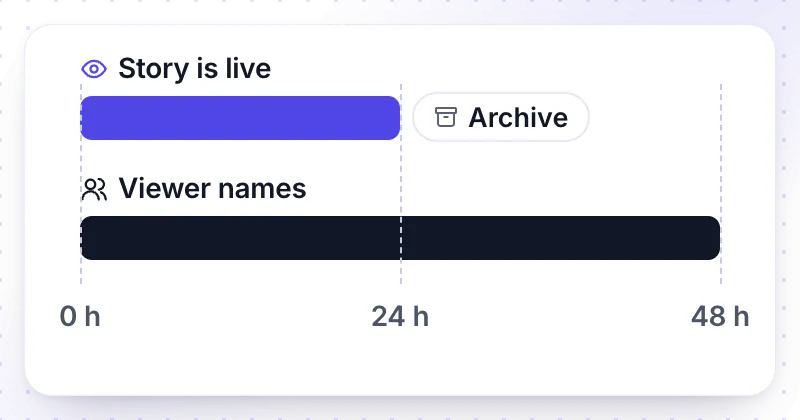
The Story list has its own fine print. The view count includes replays, so it can be higher than the number of usernames. The Help Center also notes that the list doesn't include Instagram Plus subscribers who previewed the Story. When you watch someone's Story, they can tell that you've seen it, and there is no setting that hides you.
Sharing a Reel to your Story
Many guides suggest sharing the Reel to your Story to learn who watched it, and forums give the same tip whenever someone asks can you see who viewed your Instagram reel. That trick shows who viewed the Story, which is a different audience. Someone can glance at the Story without opening the Reel, and people who find the Reel in the Reels feed or Explore may never see your Story. The Story list is a sample of your followers, not a list of Reel viewers.
Our comparison of Instagram Reels vs Stories explains the other differences between the two formats.
Regular video posts follow the same rule
Can you see who viewed your Instagram video when it is a regular post or a carousel rather than a Reel? No. Instagram's Help Center lists post insights as Views, Interactions and Profile activity, the number of actions people take on your profile after engaging with the post. The number of views and the accounts reached come as totals, with likes and comments as the only parts that carry names.
From the viewer's side, watching a Reel is anonymous. The creator sees your view as one more number in Views and Viewers. The Help Center adds that saving a post is private: only you see your saved posts, and the author can't tell that you saved one.
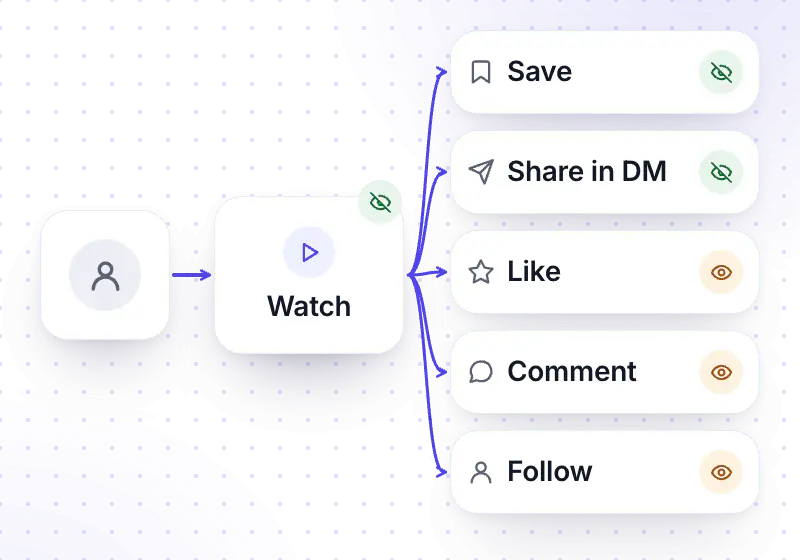
Anonymity ends with the first action that carries your account. A comment shows your username to everyone who reads it, so likes, comments and follows are where viewers stop being anonymous. A follow puts you in the creator's follower list. A like is tied to your account, and your Likes you've made setting decides whether everyone, the people you follow or only close friends can see what you like.
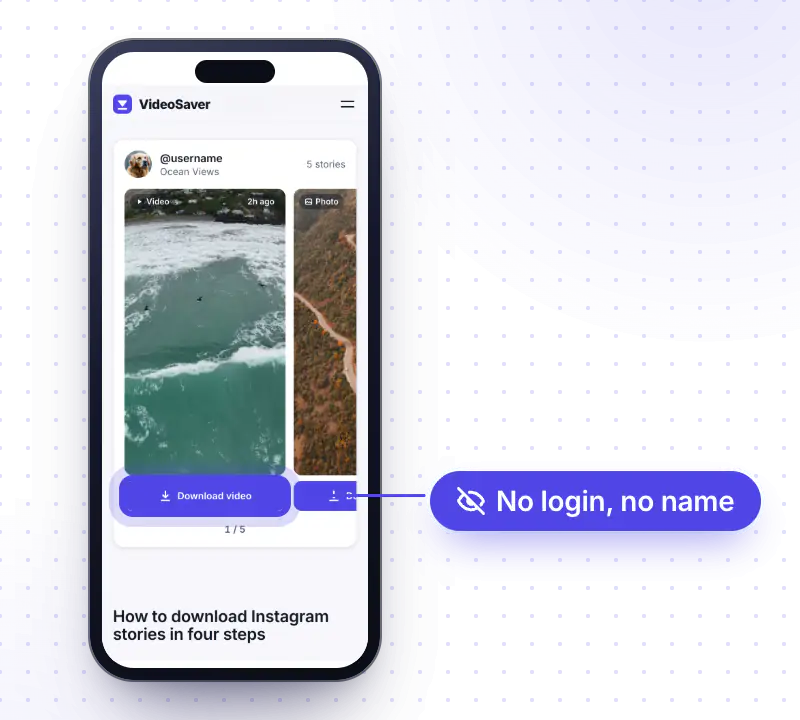
Stories again work the other way, and no privacy settings change that. Viewing a Story while logged in puts your name among its story viewers, a list only the owner can open. VideoSaver's Instagram story downloader saves public Stories without an Instagram login, so the account owner won't see you in the viewers list. The same is true for public Reels saved with the Reels downloader: the creator gets no notification.
For the full list of actions that do and don't notify people, read does Instagram notify when you save or screenshot. If you want to browse without signing in at all, see how to watch Instagram without an account.
Not by name. The Help Center describes Reel info as how many people liked, commented on and reshared a Reel, and shares appear among interactions as a number. A share sent in a private message stays private between those two people.
A public repost is the exception you can see. If someone reposts your Reel or shares it to their Story and tags you, the post or mention is visible like any other public content. Our guide on how to repost a Reel on Instagram covers how reposts credit the original creator.
Apps and websites that claim to reveal Reel viewers or profile visitors sell data that doesn't exist. Searches for can I see who viewed my reel on Instagram lead many people straight to them. If Instagram doesn't show a creator who watched, no outside service can read that information from Instagram. Instagram's Help Center describes no feature that lists who visited a profile, and its Reel insights list no names.
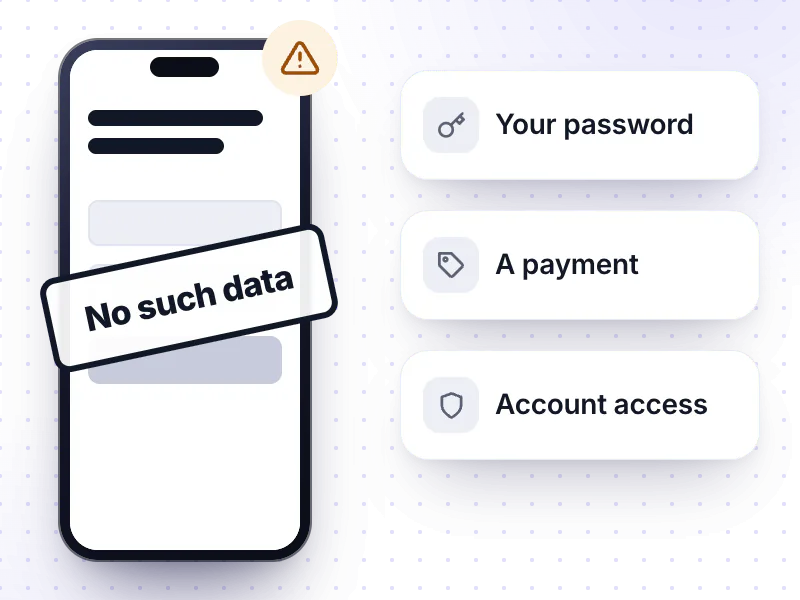
Such apps usually want one of three things: your Instagram password, a payment or permission to act on your account. A login form for a viewer tracker is phishing, a scam that tricks people into handing over account access. The cost of a lost account is far higher than the curiosity that led to the app.
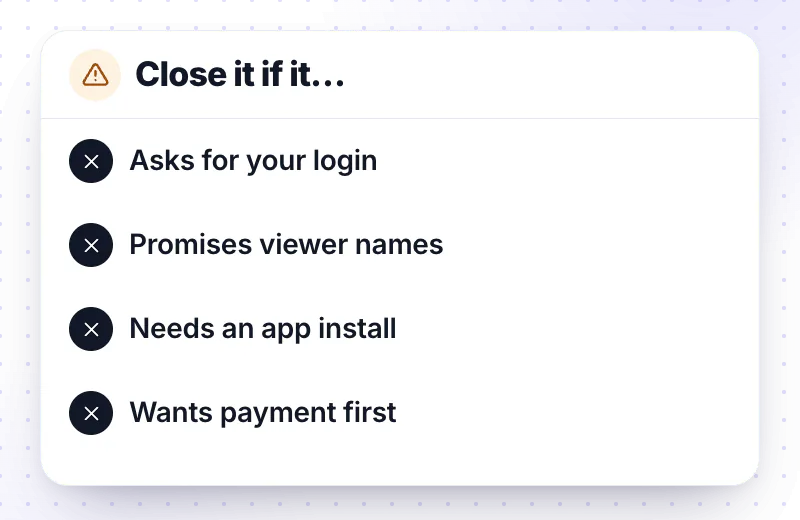
Warning
Never type your Instagram password into a third party site that promises viewer lists. If you already did, change the password at once and turn on two-factor authentication.
Insights tell you more about your audience than a list of names would. Watch time and average watch time show whether people stay to the end. Viewers compared with followers shows how far the Reel travelled beyond your audience. Follows show which Reels turn viewers into followers.
To improve the next Reel, compare average watch time across your last few Reels and keep what holds people longest. Check where viewers come from in the audience breakdown once a Reel passes 100 accounts. A Reel that brings many follows deserves a sequel, whatever the names behind the numbers.
Frequently asked questions
Short answers to the questions readers ask most about this topic.
If you view a reel on Instagram is it anonymous to the creator?
Yes, a view itself is anonymous. Instagram counts it in Views and Viewers but shows the creator no list of accounts. Your name appears only when you act: a comment, a follow, and a like depending on your like settings. Stories are different, because their owner sees every viewer's username.
Does Instagram show who viewed your video if you have a professional account?
No. A professional account adds features for businesses and creators, but Reel insights still report numbers: views, viewers, watch time, follows and interactions. Audience breakdowns by country, city, age and gender appear once a Reel reaches more than 100 accounts, and they never name individual accounts.
Can I see who viewed my Reel if I share it to my Story?
You see who viewed the Story, not who watched the Reel. The Story's viewer list shows usernames for up to 48 hours, and it includes people who only glanced at the Story. Someone in that list may never have opened the full Reel, and Reel viewers outside it stay unnamed.
Can you see how many times someone watched your Reel?
No, not per person. Views count every play and replay together, while Viewers count unique accounts. If views are much higher than viewers, some people watched more than once, but Instagram doesn't say who. The Story viewer list has the same rule and shows each name once.
Do apps that show who viewed your Instagram Reels work?
No. Instagram doesn't show Reel viewer names even to the creator, so no outside app can get them. Apps that promise such lists usually want your Instagram password, a payment or both. Giving your login to them risks losing the account. Use Insights inside Instagram instead.
Sources
Facts about Instagram features in this article come from these pages.
- Instagram Help Center: View insights on your Instagram reels help.instagram.com
- Instagram Help Center: About Instagram insights help.instagram.com
- Instagram Help Center: See info about your reel on Instagram help.instagram.com
- Instagram Help Center: How to see who's viewed your Instagram story help.instagram.com
- Instagram Help Center: Who can tell that you've seen their Instagram story help.instagram.com
- Instagram Help Center: Save posts you see on Instagram help.instagram.com
- Instagram Help Center: Manage who can see your likes on content on Instagram help.instagram.com
- Instagram Help Center: View insights on your Instagram posts help.instagram.com
- Instagram Help Center: View account and content insights on Instagram help.instagram.com