Does Instagram Notify When You Save, Download or Screenshot a Post?
Instagram keeps saves private and sends no alert for screenshots of posts, Reels or Stories. Disappearing photos, vanish mode chats and Instants are the exceptions.
Short answer
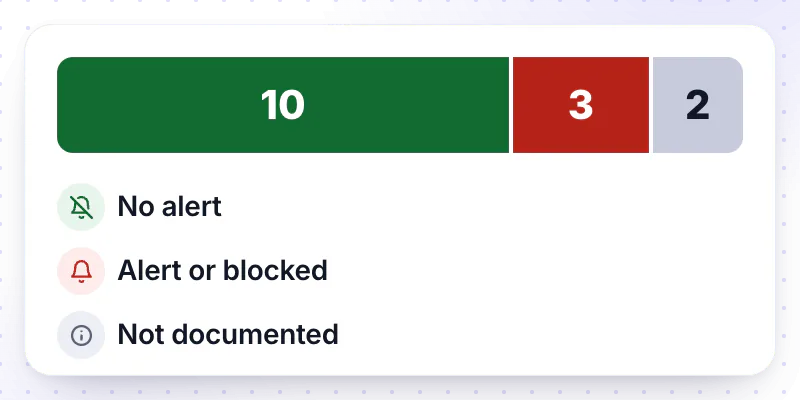
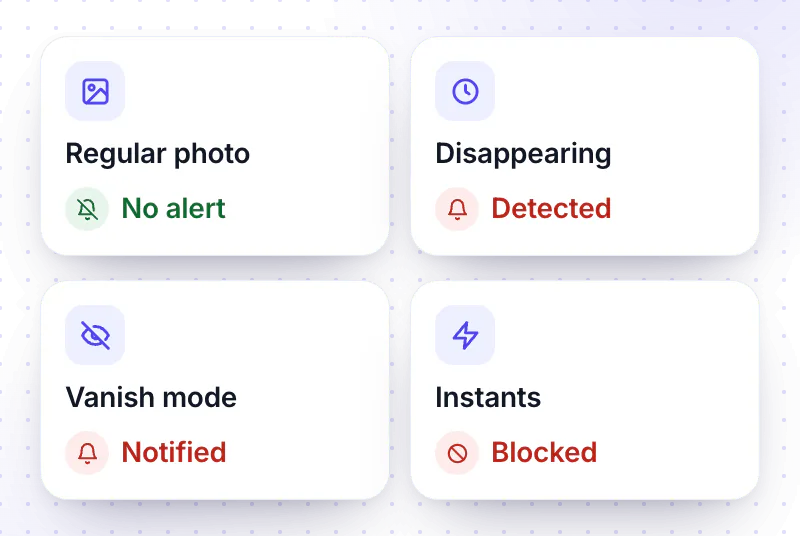
Instagram doesn't notify anyone when you save a post, screenshot a Reel or Story, or download a public photo. The exceptions are all in direct messages: disappearing photos and videos, vanish mode chats and Instants. In those three features the other person learns about a screenshot, or the app blocks it.
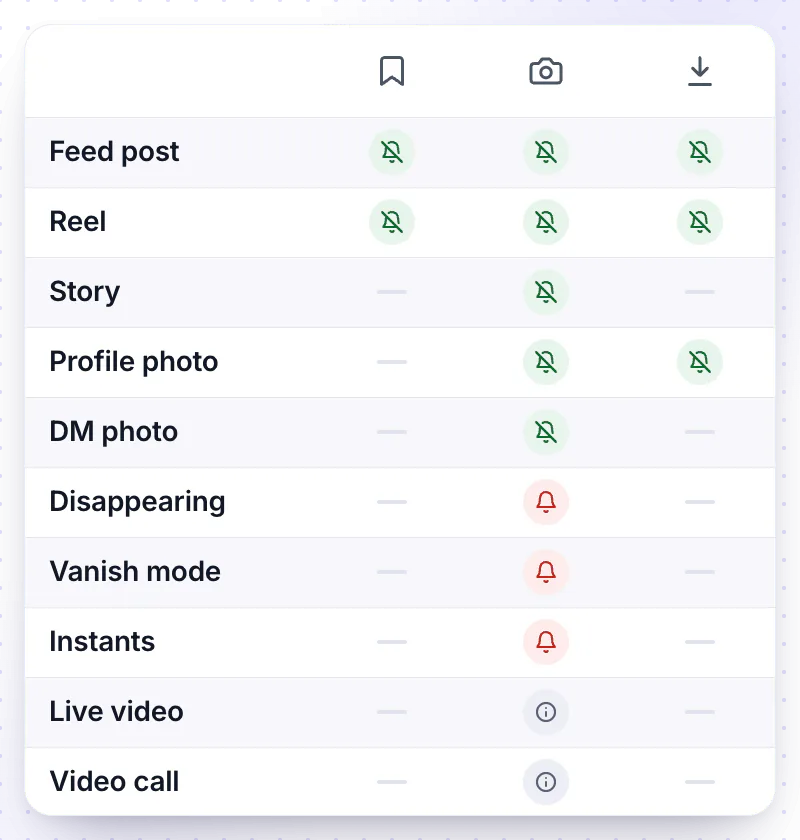
The table covers every common case, with each cell tied to an Instagram source. "Not documented" means the Instagram pages checked for this guide don't describe the behaviour, so no confident answer exists either way. Instagram reworks its messaging features often, and a "Not documented" cell is a reason to stay cautious rather than a green light. Re-check the linked Help Center page before you rely on a cell for anything sensitive.
| Content | Save in the app | Screenshot or screen recording | Download |
|---|---|---|---|
| Feed post | No alert, saves are private | No alert documented | No alert documented |
| Reel | No alert, saves are private | No alert documented | No alert documented |
| Story | Not offered | No alert | Not offered |
| Profile picture | Not offered | No alert documented | No alert documented |
| Regular DM photo or video | Not offered | No alert documented | Not offered |
| Disappearing photo or video | Not offered | Detected or blocked | Not offered |
| Vanish mode chat | Not offered | Other person notified | Not offered |
| Instants | Not offered | Blocked | Not offered |
| Live video | Not offered | Not documented | Not offered |
| Video call | Not offered | Not documented | Not offered |
The pattern is simple. Instagram only built screenshot alerts into features that are meant to disappear. Everything that stays on a profile, such as posts, Reels and profile pictures, carries no alert in Instagram's documentation.
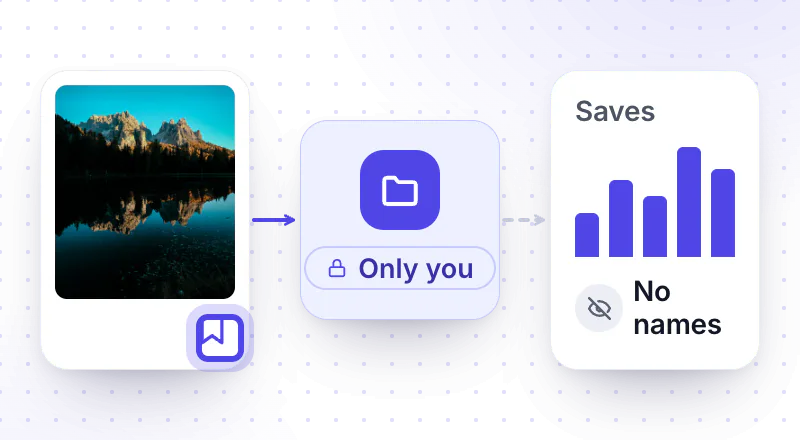
Instagram's Help Center is explicit about saves: only you can see the posts you've saved, and when you save someone's post, they can't tell that you've saved it. Reels work the same way, through Options → Save. Saved items sit in a private section of your profile, sorted into collections if you create them.
The author sees a number, not a name. Post insights count interactions such as likes, comments, saves and shares, so a creator with a public account knows how many people saved a post, never who did.
Instagram sends no alert when you screenshot a Reel, a feed post or a profile picture. Its notification rules apply only to disappearing content in chats. The Reel's creator sees plays and interactions in the Reel's info, and none of those figures shows who took a screenshot.
The same holds for a profile picture. People often ask about an Instagram screenshot profile picture notification, and no such alert appears in Instagram's documentation. To keep a profile picture in full size, the Instagram profile picture downloader saves it from a public username without a screenshot.
Instagram's own guide to Stories says it doesn't send a notification when someone screenshots a regular Story. The catch sits one step earlier. When you watch a Story, your username appears in its viewers list, and the owner can check that list for 48 hours after posting.
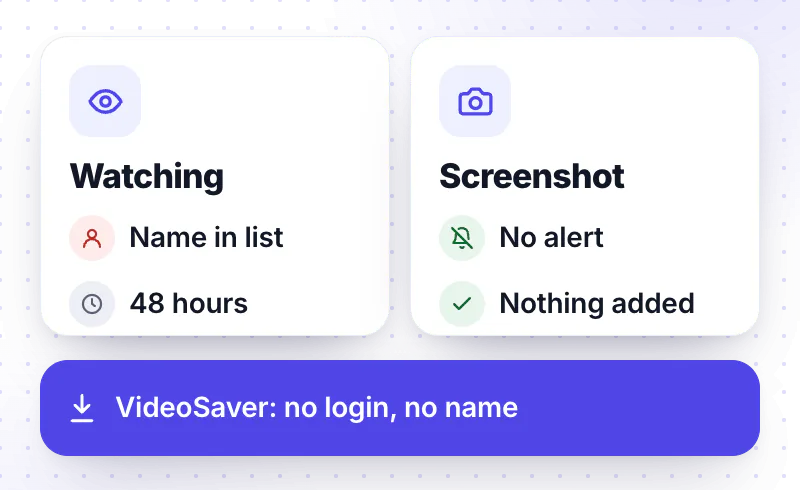
So the trace comes from viewing, not from the screenshot. The Help Center adds one more detail: the view count includes replays, so it can be higher than the number of usernames. The guide on whether creators can see who viewed a Reel explains how Reels differ, since Reels show counts without names.
Tip
VideoSaver's Story downloader saves the active Stories of a public account by username or link. It never signs in to Instagram, so the account owner won't see you in the viewers list.
The answer depends on the type of message. A regular photo or video in a chat is just an image, and Instagram documents no alert when you save or screenshot it. The disappearing formats are where the rules change.
Regular photos and videos in chats
Regular messages in DMs are built to stay. Instagram's Help Center notes that ordinary message types, such as shared posts, text and hashtags, don't disappear and remain visible in the conversation. A photo sent this way works like any image on your screen: you can screenshot it, and Instagram documents no screenshot notifications for it. If the photo matters to you, ask the sender for the original file, which keeps full quality that a screenshot of a chat bubble loses.
Disappearing photos and videos
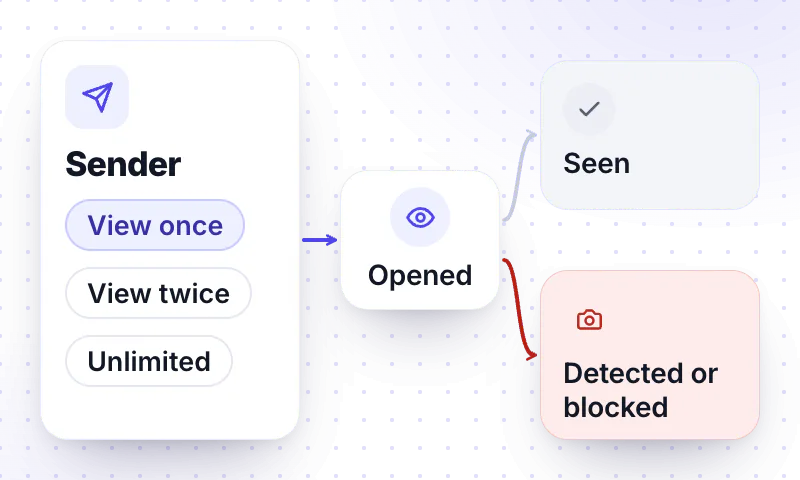
A disappearing photo or video can be set to View once, View twice or Unlimited views. View twice lets the recipient replay it one more time before it disappears. Instagram's Help Center says the sender can't view it after sending but can see whether it was seen, or if Instagram detects that someone took a screenshot. A newer Help Center page says that taking a screenshot is now disabled for disappearing photos and videos sent in a chat.
The two Help Center pages don't fully agree, and the safe reading covers both: a view once photo is either protected from screenshots or the sender learns about the attempt. Can you screenshot a view once photo on Instagram without the sender knowing? Instagram's documentation gives no reason to think so.
Vanish mode chats
Vanish mode makes seen messages disappear when you leave the chat. Instagram's announcement of the feature states that if someone takes a screenshot of the chat while vanish mode is on, the other person is notified. Vanish mode is opt-in, and its availability differs by region.
Instants
Instants are casual photos that disappear after friends view them. Instagram's announcement lists the protection plainly: Instants can't be screenshot or screen recorded. No alert is needed, because the capture doesn't happen.
Note
Does Instagram notify when you save a video from DM? For a regular video, no alert is documented. For a disappearing video, the rules above apply, and the sender sees its status.
Instagram documents no notification for downloading posts or Reels. The in-app Download for Reels exists only when the creator allows it, and the downloaded copy carries an Instagram watermark and the creator's username. Instagram's download settings cover Reels, so feed photos usually get saved with a screenshot or a downloader.
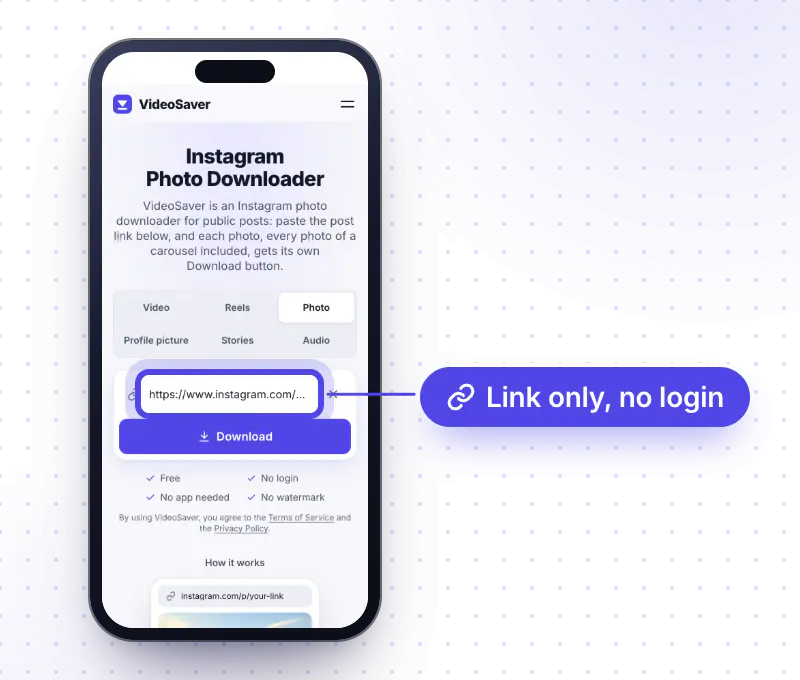
A downloader that works from a public link leaves no activity in your account. VideoSaver needs no Instagram login, so the author gets no notification when you save a public photo, Reel or profile picture. It works with public accounts only.
Screen recordings follow the same rules as screenshots for posts, Reels and Stories. For Instagram Live videos and video calls, Instagram's pages don't describe any alert, which is different from saying there is none. Treat both as undocumented, and ask before you record someone in a call.
Instagram gives creators numbers, and only Stories come with names. The table sums up what each format reveals, based on Instagram's Help Center pages on insights, Reels info and Story viewers.
| Format | What the creator sees | Names shown? |
|---|---|---|
| Post | Views, interactions (likes, comments, saves, shares) and profile activity | No |
| Reel | Video plays, likes, comments and reshares | No |
| Story | Number of views and the usernames of viewers, for 48 hours | Yes |
A save, a download or a screenshot never adds your name anywhere in this picture. The only named trace is the Story viewers list, and it records watching, not saving.
Highlights and Close Friends Stories
Highlights are Stories pinned to a profile, and Instagram's pages describe no screenshot alert for them either. Close Friends Stories reach only the people on the owner's Close Friends list. Viewing one still puts your username in its viewers list, the same as any other Story.
The same rules work in reverse when you are the creator. Instagram offers a few controls that limit what others can keep:
- Turn off Reel downloads. A creator can switch off downloads for all Reels in the account privacy settings, or for a single Reel when sharing it, under More options → Allow people to download your reels.
- Make the account private. Only approved followers can see and share Reels from a private account, and no one can download them in the app.
- Use disappearing photos for sensitive images. A view once photo is the one format where a screenshot gets detected or blocked.
- Share personal Stories with Close Friends. A shorter audience means fewer people who can take a screenshot in the first place.
None of these stop someone from filming a screen with another phone. Treat anything you post publicly as something that can be kept, and keep truly private images for the disappearing formats.
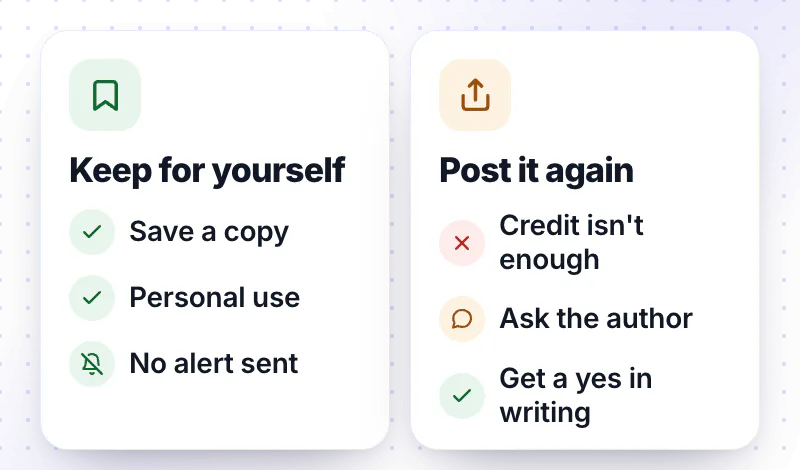
No notification doesn't mean no responsibility, and respect for the author is the rule that remains. A saved photo or Reel still belongs to its author, and Instagram's copyright guidance says giving credit doesn't stop a repost from infringing copyright. Personal reference is fine, while reposting needs the author's permission.
For the practical side, the guide to saving photos from Instagram covers single posts and carousels, and the guide to saving Instagram Reels to your camera roll compares every way to keep a Reel. Readers who don't want an account at all will find the options in the guide to watching Instagram without an account.
Frequently asked questions
Short answers to the questions readers ask most about this topic.
Does Instagram notify when you save a photo in DM?
Not for a regular photo or video. Instagram documents no alert when you save or screenshot an ordinary image in a chat. Disappearing photos and videos work differently: the sender sees their status, and the app either detects a screenshot or blocks it. Vanish mode chats also notify the other person about screenshots.
Does Instagram notify when you screenshot a Reel?
No. Instagram documents screenshot alerts only for disappearing photos and videos in chats and for vanish mode, and its pages describe no alert for Reels. The creator sees total plays and interactions, not who took a screenshot. Saving the Reel to your collection stays private as well.
Can you screenshot a view once photo on Instagram?
Usually not without the sender knowing. One Instagram Help Center page says screenshots of disappearing photos and videos are now disabled. Another still says the sender can see if a screenshot was detected. Either way, a view once photo isn't a safe thing to capture quietly, so ask the sender instead.
Can someone see if I screenshot their Instagram Story?
No. Instagram says it doesn't send a notification when someone screenshots a regular Story. Watching the Story is what leaves a trace: your username appears in the owner's viewers list, which they can check for 48 hours after posting. The screenshot itself adds nothing to that list.
Does Instagram notify when you download a photo?
Instagram documents no notification for downloads. Instagram's download settings cover Reels, so feed photos usually get saved with a screenshot or a downloader. VideoSaver works from a public link without your Instagram login, so nothing appears in your account and the author receives no notification.
Sources
Facts about Instagram features in this article come from these pages.
- Instagram Help Center: Save posts you see on Instagram help.instagram.com
- Instagram Help Center: View insights on your Instagram posts help.instagram.com
- Instagram: How to Use Instagram Stories about.instagram.com
- Instagram Help Center: How to see who's viewed your Instagram story help.instagram.com
- Instagram Help Center: Send disappearing photos or videos in chats on Instagram help.instagram.com
- Instagram Help Center: See the status of a disappearing photo or video you've sent on Instagram help.instagram.com
- Instagram: New Messaging Features Now Available on Instagram and Messenger (vanish mode) about.instagram.com
- Instagram: Introducing Instants about.instagram.com
- Instagram Help Center: Who can download your Instagram reels help.instagram.com
- Instagram Help Center: How to make sure content you post doesn't violate copyright law help.instagram.com
- Instagram Help Center: Who can see and share your reels on Instagram help.instagram.com
- Instagram Help Center: See info about your reel on Instagram help.instagram.com